
ROAD TRIP GUIDE
Dash Cam for Road Trips: Everything You Need to Know
Your car’s 24-hour co-pilot. From mountain passes to motorway rest stops — what changes on a long drive, what to set up before you leave, and why this is where a dash cam earns its place most.
Dashline 4K — The road trip dash cam. From €89.
THE PROBLEM WITH LONG DRIVES
Accidents don’t check your postcode.
On a road trip, you’re driving unfamiliar roads, navigating towns you don’t know, sharing the tarmac with drivers whose habits you haven’t learned. If something goes wrong — a scrape in a car park, a near-miss on a mountain pass, a bump at a motorway service stop — there are no familiar witnesses. Only you and the other driver.
A dash cam doesn’t change the road. It changes what you have when you get home. Silent, continuous, automatic — it captures the evidence your travel insurance claim will need before you even think to reach for your phone.
Quick Answer — Dash Cam for Road Trips
Do you need a dash cam on a road trip?
Most dash cams fail after dark. The Dashline 4K stays sharp — combining a wide f/1.6 aperture with a Sony night-vision sensor and 4K resolution to capture plates, faces, and incidents at any hour. Compact and discreet. No screen. No distraction.
Best for
- Night commuters
- Urban & highway driving
- Insurance documentation
- Rideshare drivers
Key benefits
- 4K / 30fps — ultra-sharp footage
- 170° wide-angle lens
- Sony night-vision sensor
- Loop recording, G-sensor lock
Recommended setup
- Front + rear dual-cam
- 64 GB microSD (class 10)
- Hardwire kit for parking mode
- CPL filter for glare reduction
BUILT FOR EVERY ROAD TRIP SCENARIO
Three situations where it earns its place.
Rest Stop Overnight
You park at a motorway service area and go inside for an hour. Parking mode keeps the Dashline on watch — motion detection and the G-sensor log any contact with the car. When you return, you know exactly what happened while you were away.
G-SENSOR · MOTION DETECTION · LOOP RECORDING
Mountain Pass After Dark
Winding mountain roads at night, oncoming headlights, no street lighting. The F1.6 aperture gathers more light than a standard camera lens, and WDR keeps the dark road visible even as a car comes toward you. The drive is on record, wherever it takes you.
F1.6 APERTURE · SONY SENSOR · WDR
Motorway Near-Miss
A vehicle cuts across lanes at speed. The Dashline’s 170° wide angle catches the entire manoeuvre, including the number plate. The GPS log shows your speed, your lane, exact coordinates, and timestamp. That’s not a description — it’s a record.
170° WIDE ANGLE · 4K 30FPS · GPS LOGGING
FOOTAGE QUALITY
At 110 km/h, detail still matters.
The Dashline captures 4K at 30 frames per second — sharp enough to read lane markings around a vehicle cutting in, and wide enough at 170° to include what’s happening on both shoulders. The camera doesn’t choose what’s important after the fact. It records everything, continuously.
GPS metadata is embedded in every clip: speed, coordinates, heading, timestamp. For an insurance claim made 400 km from home, that’s not just footage — it’s a verifiable record of exactly where you were, how fast you were travelling, and when it happened.
INTERACTIVE — ROAD CONDITIONS SELECTOR
Which conditions will you drive through?
Select a road condition to see which Dashline features matter most for that situation.
BEFORE YOU LEAVE
Four things to check the evening before.
01
Format your memory card
Format the microSD via the dash cam (not your computer) to clear old footage and reset the file system. For a multi-day trip, a 128 GB card gives around 8–10 hours of 4K footage before loop recording starts. Back up anything worth keeping first.
02
Check your GPS time and date
If you’re crossing time zones, verify the camera’s clock before you leave. GPS-embedded timestamps are only useful as evidence if the time is accurate — a one-hour offset can complicate an insurance claim. Confirm time zone and date on the device.
03
Test the WiFi app connection
Connect your phone to the Dashline’s WiFi and confirm you can browse recent footage in the app. Takes 90 seconds. This means you’ll know how to pull a clip at a rest stop — not figure it out for the first time after an incident in an unfamiliar country.
04
Decide your overnight power plan
For multi-night stops — hotels, campsites, car parks — decide between plug-in power (engine off cuts the camera) or a hardwire kit with a voltage cutoff (monitors continuously, protects the battery). The hardwire option is the right setup if you plan to rely on parking mode away from home.
HONEST LIMITS
What to expect — and what not to.
Plate readability varies
At motorway speeds, plate readability depends on following distance, lighting, and angle. At 100 m+ or oblique angles, plates may not be legible even at 4K. This is a physics limitation of optics, not a product flaw.
Manage heat on summer stops
Parked in full sun in southern Europe, internal car temperatures can exceed what a lithium battery handles over time. Use a windscreen sunshade when parked in direct sun for extended periods. The housing is durable; the battery is what to protect.
WiFi is local-only
The WiFi connection is device-to-device: your phone connects directly to the camera. There’s no 4G, no remote cloud view from a distance, no internet required. You need to be at the car to pull footage. No subscription also means no remote server.
Tell passengers you’re recording
If your setup includes a cabin-facing camera, inform passengers — this is good practice regardless of local law. Recording the road ahead is generally legal across Europe. Laws on interior recording vary by country; check if your trip crosses borders.
BEFORE YOU GO
Choose your setup.
For most road trips, Dual Cameras (front + rear) gives you the complete picture — what you saw and what was behind you. If you’re planning overnight stops, Full Protection adds the hardwire hardware so parking mode runs continuously. Front vs front+rear explained →
Choose your setup
One camera. Three levels of protection.
From everyday recording to full 24/7 surveillance — pick the package that matches how you drive.
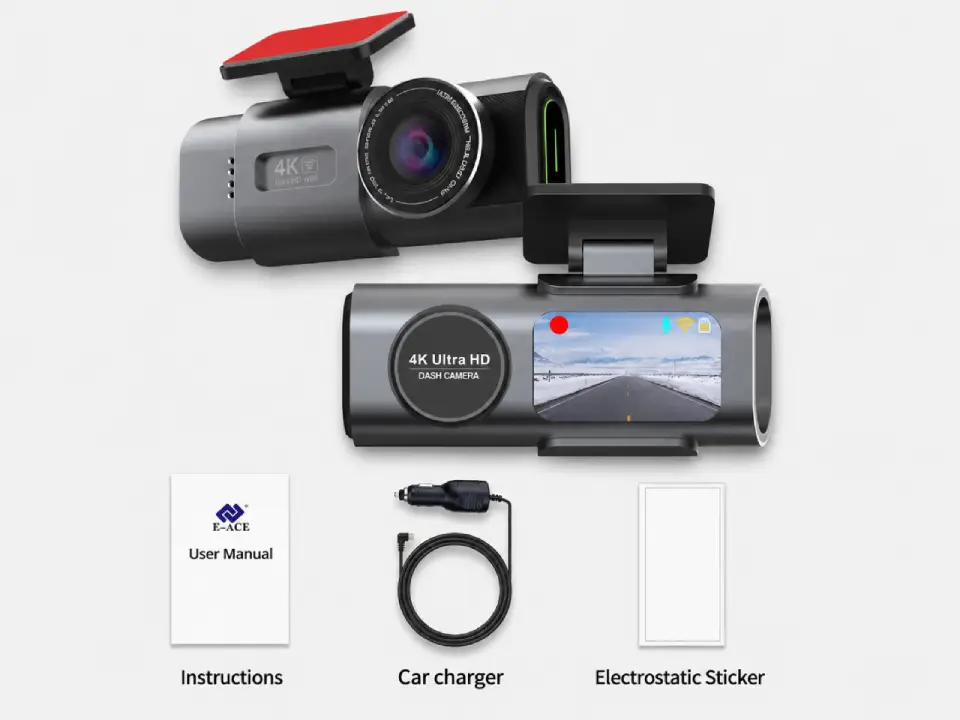
Standard
Package contents
- Front camera
- Car connection cable
- Magnetic sticker
Most popular
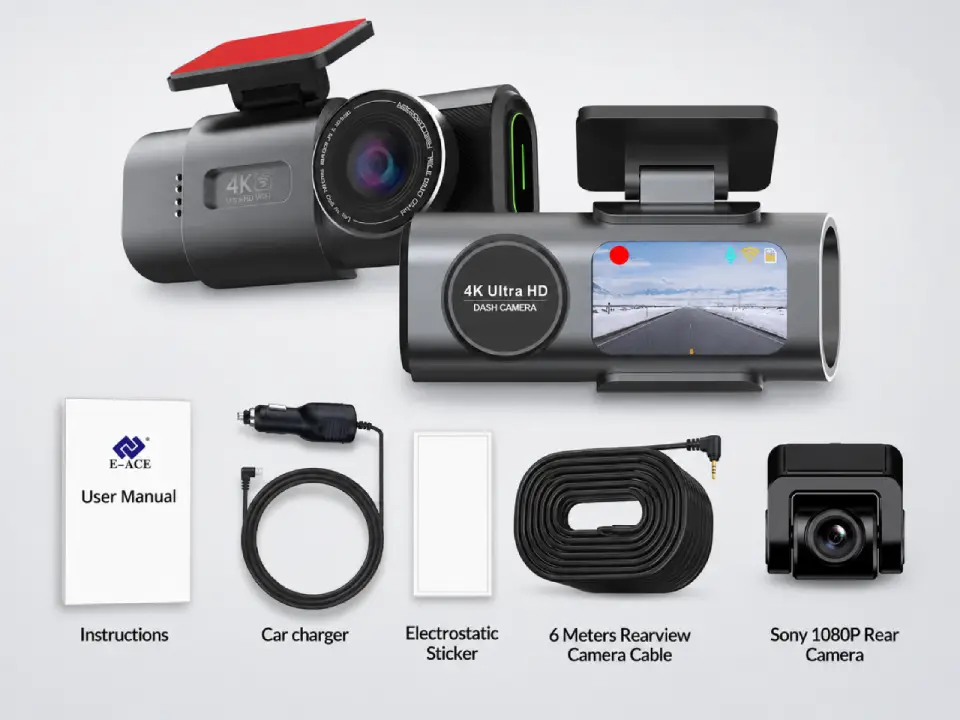
Dual Cameras
Package contents
- Everything in Standard
- Sony rear camera
- 6-meter connection cable
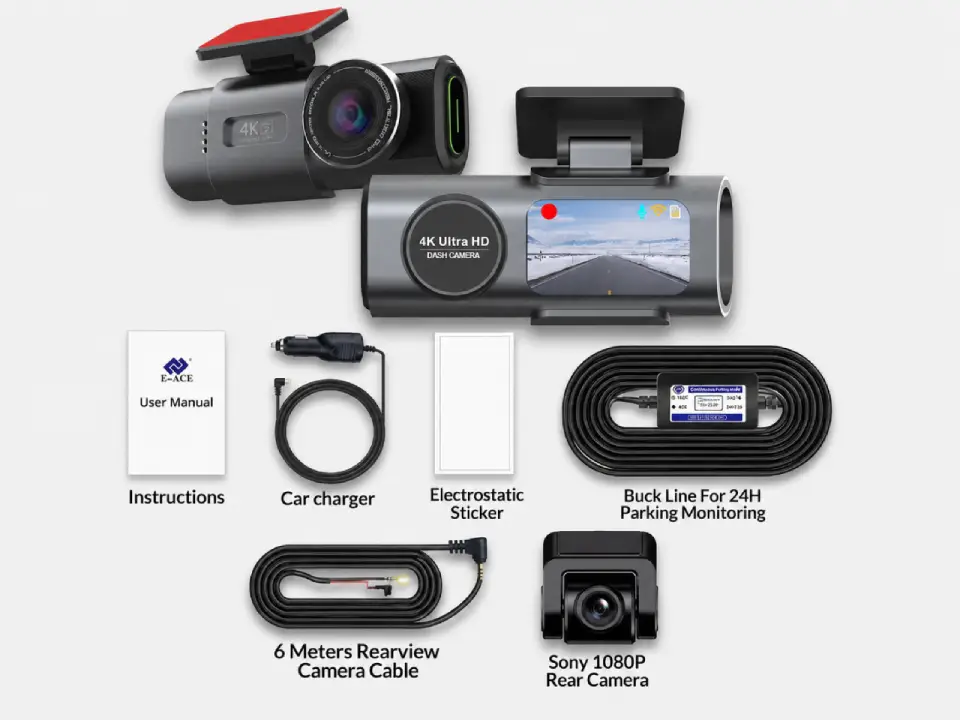
Full Protection
Package contents
- Everything in Dual Cameras
- 24h-compatible battery
- Live view from parked car
Free Shipping
5–10 days across Europe
Secure Payment
Apple Pay · PayPal · Stripe
2-Year Warranty
Full hardware coverage
30-Day Return
No questions asked
ROAD TRIP FAQ
Questions we get before long trips.
Will the dash cam drain my car battery during a long overnight stop?
On the standard plug-in cable, the Dashline only draws power when the engine runs. For parking mode overnight, you need a hardwire kit with a voltage cutoff — it stops drawing power before the battery drops below a safe level. Without the cutoff, extended parking mode can flatten a battery over many hours. You can estimate how long a hardwired camera keeps recording before it reaches that cutoff with our dash cam parking mode battery calculator.
Do I need a bigger memory card for a road trip?
Loop recording means the camera never truly fills up — it overwrites old footage continuously. A 128 GB card gives around 8–10 hours of 4K footage before looping. The card size matters if you want to preserve early-trip footage without it being overwritten before you can review it at the end of the day. To size a card for your route, our dash cam storage calculator shows how many hours a given card holds at 4K.
Can the camera overheat if I park in full sun?
In extreme summer heat — parked in full sun in southern Europe — internal temperatures can reach 70–80 °C. The camera housing handles this well; the internal battery is the component most affected by sustained heat. Use a windscreen sunshade when parked for long periods in direct sun. Short high-temperature exposure (under 2 hours) is generally fine.
Can I review footage from my phone without stopping the car?
The Dashline’s WiFi creates a direct device-to-device connection with your phone. You can browse and download footage when parked — not while driving. The connection works anywhere without a mobile network or internet connection.
Does it record the full journey or only during incidents?
Both. The Dashline records continuously in short loop files, overwriting the oldest when the card is full. The G-sensor locks files during a significant impact, protecting them from overwrite. You won’t have 2,000 km of raw footage to sift through — but you’ll have everything that matters, automatically protected. Here’s how loop recording works in more detail, including how the G-sensor shields a clip from being overwritten.
Is parking mode legal to use in public car parks in other countries?
Recording the exterior of your vehicle in a car park is broadly legal across Europe — you’re recording a public space from a private vantage point. Interior cabin recording has different rules (GDPR-relevant if passengers are present). Standard exterior-only parking mode recording is generally accepted practice for vehicle protection across EU member states. For the full picture on where and how recording is allowed from country to country, see are dash cams legal.
Do I need to tell passengers I have a dash cam?
For a road-facing camera only, passenger notification is not typically required in the UK and most of Europe. If you have a rear-facing cabin camera, informing passengers is good practice and, in some EU jurisdictions, required under GDPR transparency rules. A small sticker on the window is sufficient in most countries.
DON’T RUN OUT OF CARD
Plan your storage before a long drive
The thing that catches road-trippers out isn’t the camera — it’s the card. A full day behind the wheel easily outruns a small card, and loop recording writes over your morning long before you get home.
- 4K uses roughly 10–12 GB an hour for a front+rear pair; a 128 GB card holds only about 10–12 hours before it recycles.
- For a multi-day trip, fit a larger high-endurance card, or copy each day’s clips to your phone or laptop at the motel.
- Lock anything worth keeping — a mountain pass, a near-miss — so the loop can’t reclaim it.
- Leave parking mode on overnight at rest stops and motels, when an unattended car is most exposed.
Size it exactly with the storage & recording-time calculator, and if your route runs through the cold, the winter-driving notes apply too.
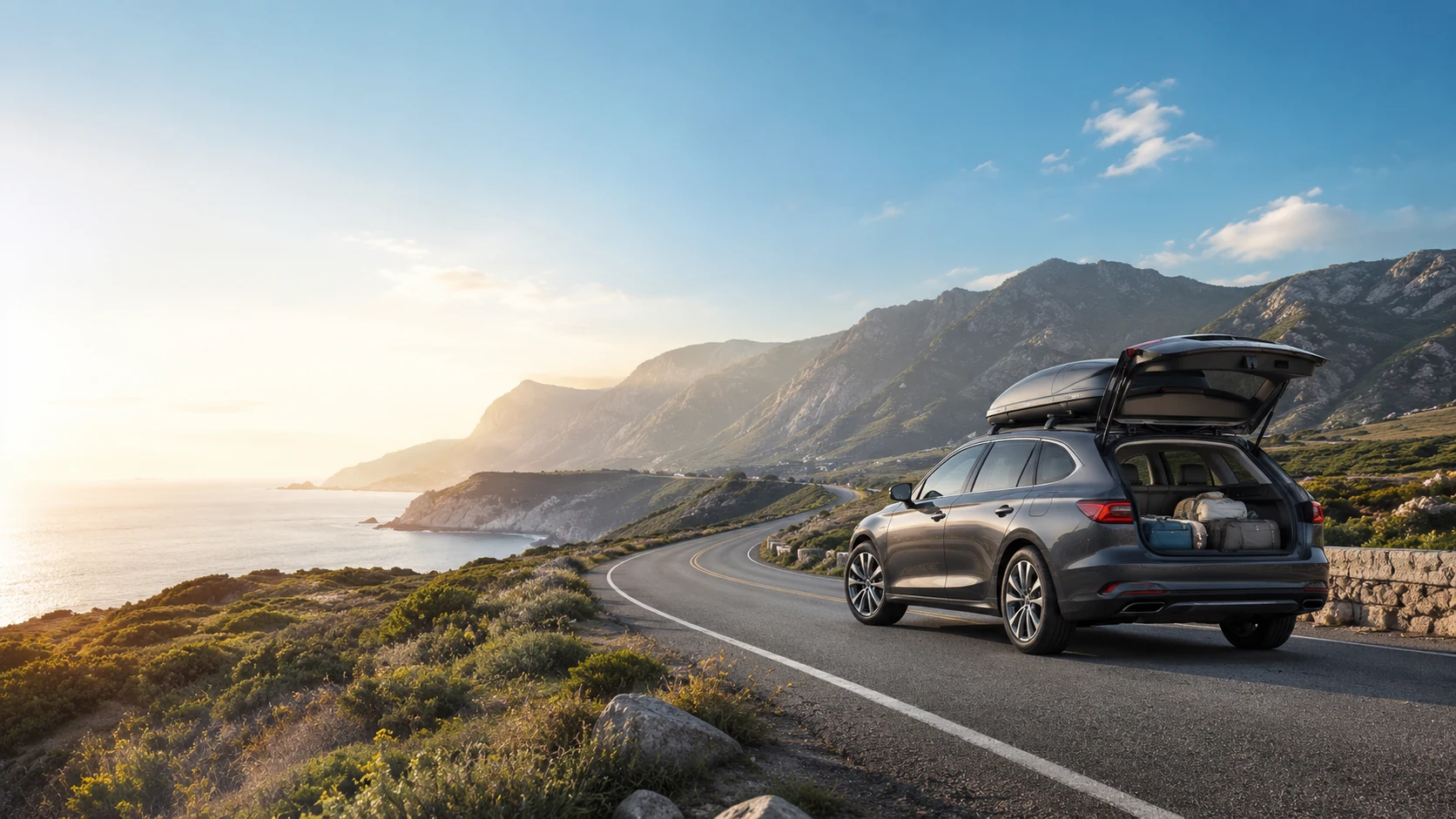
The road is long. Your evidence shouldn’t be missing.
The Dashline runs quietly from ignition to park — 4K up front, parking mode when you stop, WiFi app for a quick review at a rest stop. No subscription. No monthly fee. Just a camera that earns its place every kilometre.
Leave a Reply