
Resolution, honestly
Is a 4K Dash Cam Worth It?
4K vs 1080p — what the extra pixels really buy you, and the moments where 1080p is already enough.
3840 × 2160
4K front · vs 1920 × 1080 Full HD
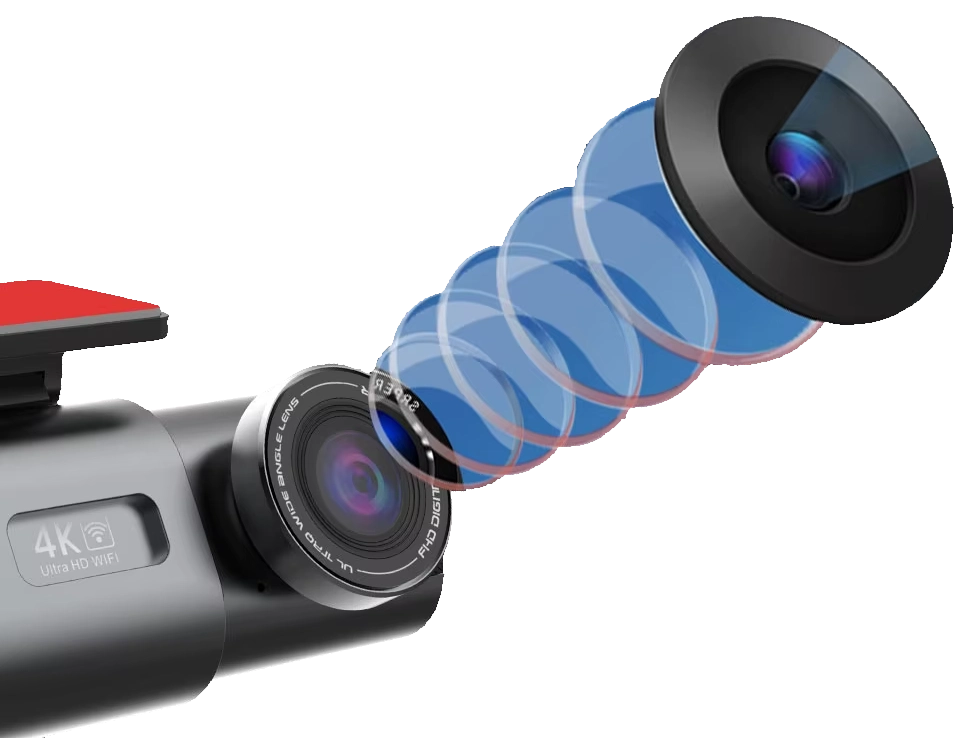
The number on the box
More megapixels, more myth
“4K” is the loudest word on most dash cam boxes. It sounds like the whole story. It isn’t. Resolution only counts the number of pixels — not whether each one is sharp, well-exposed, or worth keeping.
A genuinely good Full HD camera can out-read a cheap, upscaled “4K” one. The number that sells a camera isn’t always the number that reads a plate at the roadside.
So “is 4K worth it?” is really three questions. Not sure you need a dash cam at all yet? Start with are dash cams worth it. What do you need to read? A distant plate, or just the gist of an incident? In what light? Bright daylight flatters every sensor; night punishes them. And what will it cost you in storage and frame rate?
Answer those and the choice gets simple. Below, we line up 4K against 1080p without the marketing — including the moments where the extra resolution earns its keep, and the moments it doesn’t.
4K vs 1080p, at a glance
The honest trade-off in one table. Figures assume a real 4K sensor at 30fps and vary with bitrate, light and your card.
| 4K · front | 1080p Full HD | |
|---|---|---|
| Resolution | 3840 × 2160 (~8.3 MP) | 1920 × 1080 (~2.1 MP) |
| Real detail | ~4× the pixels on the same scene | Plenty for the overall picture |
| Plate reach (good light) | Reads further down the lane | Reads close, in front of you |
| File size | ~2–3× larger per minute | Baseline (~6 GB/hour) |
| Card for ~10 hours | 128 GB+, U3 / V30 | 64 GB, U1 is fine |
| Frame rate | Typically up to 30fps | Can reach 60fps |
| Best for | Reading plates & signs at distance | General incident proof on a budget |
Start from what you need to read
Does 4K matter for your footage?
Pick what you actually want the camera to capture. The answer changes more than the spec sheet suggests.
Reading a plate down the lane
This is 4K’s strongest case. More pixels on a small, distant object means a plate stays legible several car-lengths further away — the difference between a usable number and a grey smudge after a hit-and-run.
But only in decent light, and only so far. At night, distance and speed still beat any sensor — physics, not resolution, sets the real limit.
Identifying a face
Faces are detail-hungry like plates, so extra resolution earns its place — provided the person is reasonably close and lit. A face across a dark car park is hard at any resolution.
A dash cam faces the road, not the cabin. For interior faces you’d want a cabin-facing channel, which is a different setup.
Signs, lights & lane markings
These are large, high-contrast and close. Full HD captures them clearly. 4K adds margin if you want to crop in later, but it’s rarely the deciding factor for right-of-way evidence.
Frame rate can matter more here — a smoother 60fps clip can pin down the exact moment a light changed.
A general record of what happened
For documenting a collision, a lane dispute or a near-miss, 1080p tells the story convincingly. This is most everyday driving — and where a tighter budget is best spent on a good sensor, not more pixels.
Step up to 4K when you specifically want plate-reading reach and you have the storage for it.
Resolution is one of six things
A sharp, usable clip is a chain. The weakest link caps the result — which is why a true 4K sensor matters more than the “4K” sticker.
01
The sensor
Bigger, better pixels gather more light. The single biggest factor in real detail — day or night.
02
The lens
Aperture (e.g. F1.6) and glass quality decide how much light and sharpness even reach the sensor.
03
Bitrate
How much data the camera spends per second. Low bitrate throws away detail before it hits the card.
04
Dynamic range (WDR)
Handles glare and shadow together — a bright sky and a dark plate in one frame without blowing out.
05
Frame rate
More frames freeze fast motion. 4K usually caps near 30fps; 60fps trades resolution for smoothness.
06
Night processing
Noise reduction and exposure tuning decide whether 4K stays useful once the light drops.
How a sharp frame is made
From light to a readable plate
1
Light reaches the lens
The aperture gathers the scene. A wider lens (lower f-number) lets in more light — the head start every later step depends on.
2
The sensor turns it into pixels
More, larger photosites record more real detail. This is where genuine 4K is won or lost — not on the box.
3
The processor compresses it
Footage is encoded to fit the card. A healthy bitrate keeps fine detail; a stingy one quietly bins the plate you needed.
4
The card stores the loop
Capacity decides how many hours you keep before the loop overwrites. 4K fills a card faster, so size up.
A weak link anywhere caps the result. 4K can’t rescue a small sensor or a low bitrate — which is exactly how a cheap “4K” camera ends up softer than honest Full HD.
4K’s real cost: storage
More pixels means bigger files. Pick a card to see roughly how many hours you keep before the loop overwrites the oldest footage.
then it loops over
plenty for a daily commute
a few days of short trips
over a week of commuting
comfortable for 4K daily use
rarely overwrites mid-trip
best for front + rear in 4K-class
more than most drivers need
Approximate — loop recording always overwrites the oldest footage, so you keep the most recent hours, not everything. Real figures shift with bitrate, frame rate and a second (rear) channel. 4K needs a high-endurance U3 / V30 card; back up any clip you want to keep.
What 4K can’t buy you
Worth saying plainly, because no spec sheet will. These limits hold no matter how high the resolution.
Night is physics, not pixels
Less light means less detail — 4K or not. After dark, a good sensor and lens matter more than the resolution number. Even 4K loses far detail on a truly unlit road.
Distance, speed & angle still rule
A plate that’s far away, passing fast, or turned sideways can stay unreadable at any resolution. More pixels widen the window; they don’t remove the limit.
“4K” can be inflated
Some cameras upscale a lower-resolution sensor and print “4K” on the box. That isn’t real detail. A true 4K sensor is what counts — the label alone guarantees nothing.
More pixels, more storage
4K fills a card roughly two to three times faster. Budget a larger, faster card or accept a shorter loop before the oldest footage is overwritten.
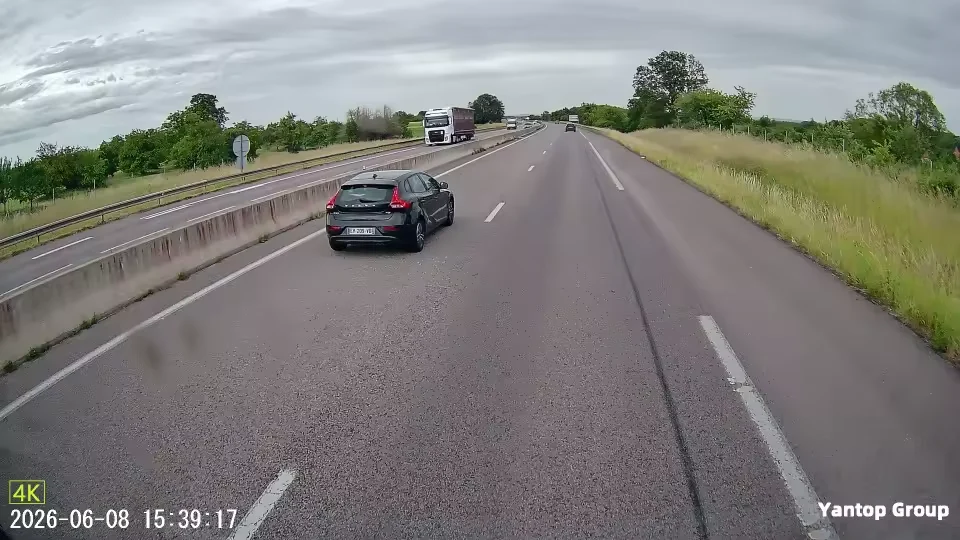
Where Dashline lands
True 4K up front, where it reads
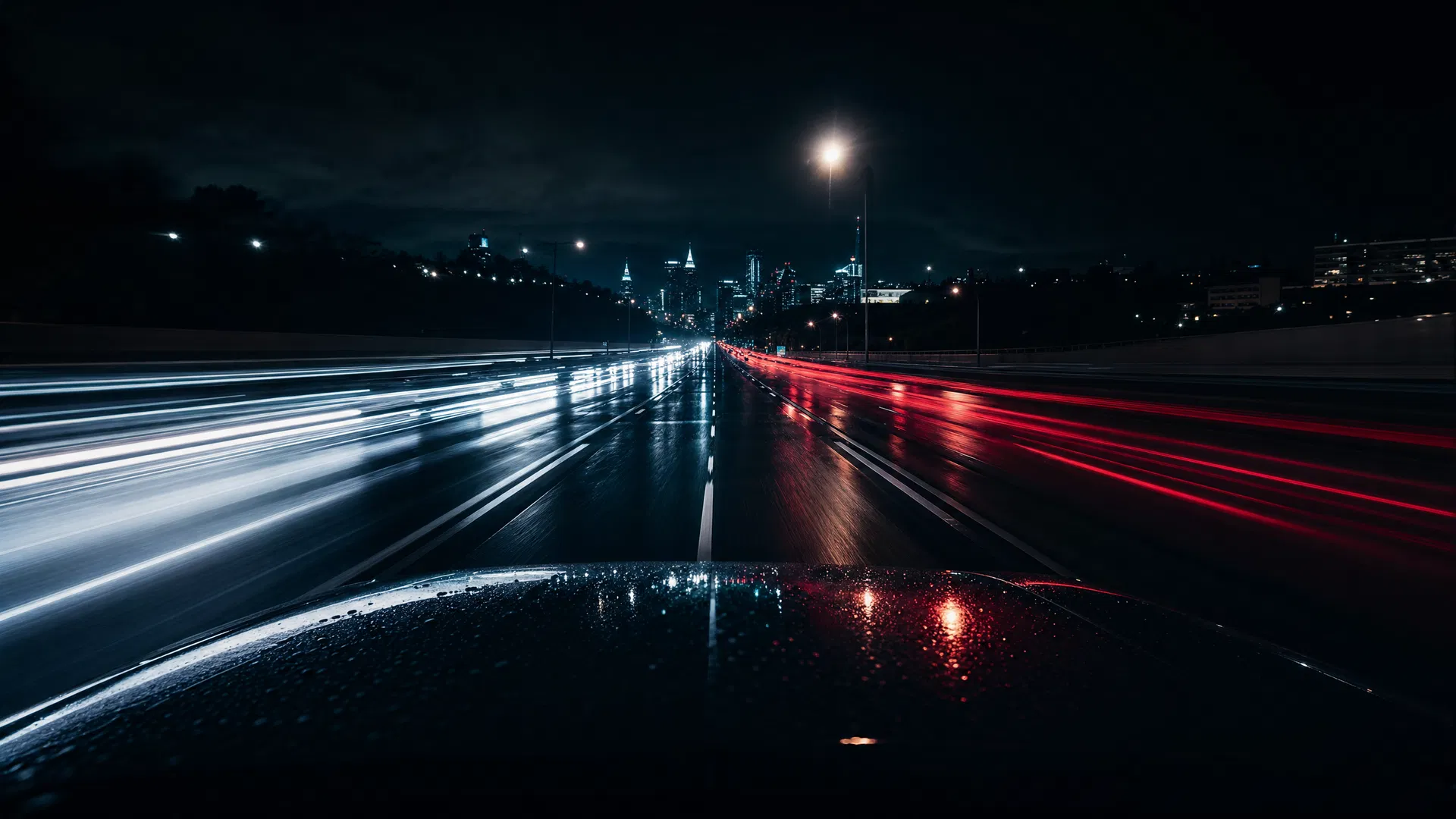
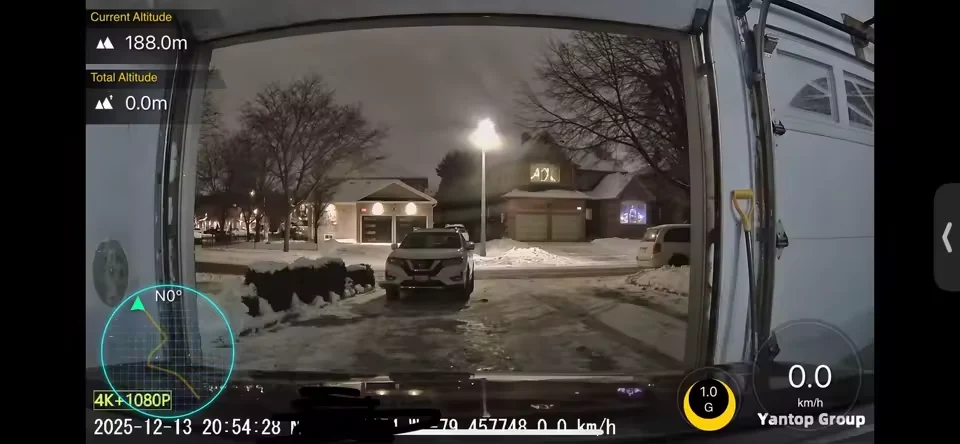
The Dashline front camera records native 4K from a real sensor — not an upscaled lower resolution. That’s the channel doing the plate-reading work, down the lane and across the junction. The footage above is straight from the road, not a studio reel.
On the dual setup, the rear channel records 1080p — enough to cover what’s behind you while the 4K front does the detail work. You choose the card; the footage is evidence, not prevention. See how it holds up after dark in our guide to night driving.
One real 4K camera, three ways to fit it
Start with true 4K up front. Add a 1080p rear channel and 24-hour parking protection when you want them — no subscription, footage stored locally on your card.
Choose your setup
One camera. Three levels of protection.
From everyday recording to full 24/7 surveillance — pick the package that matches how you drive.
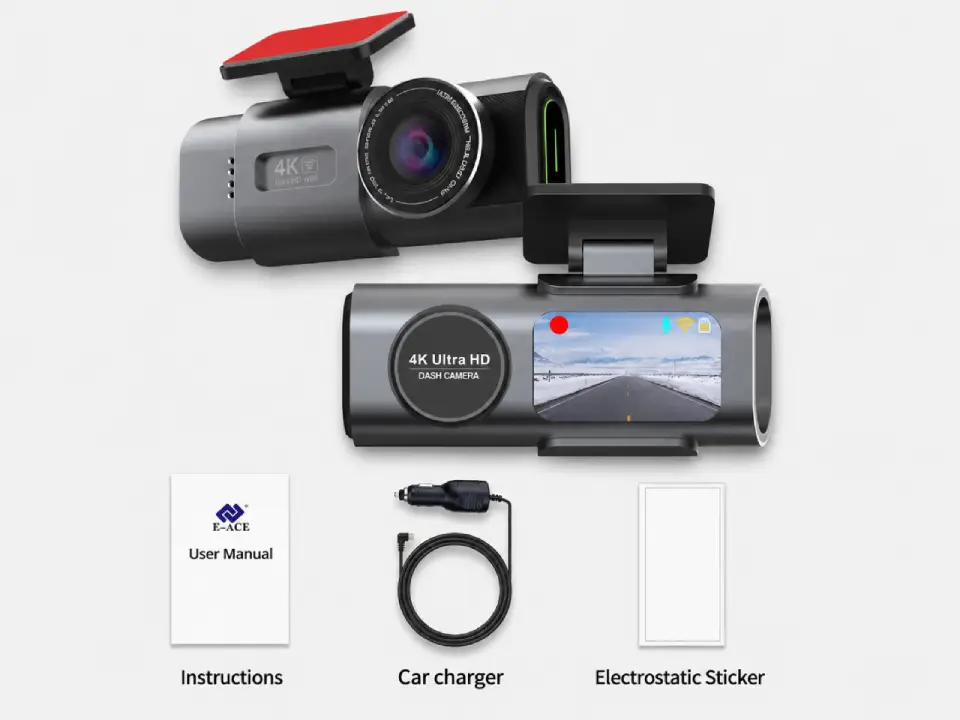
Standard
Package contents
- Front camera
- Car connection cable
- Magnetic sticker
Most popular
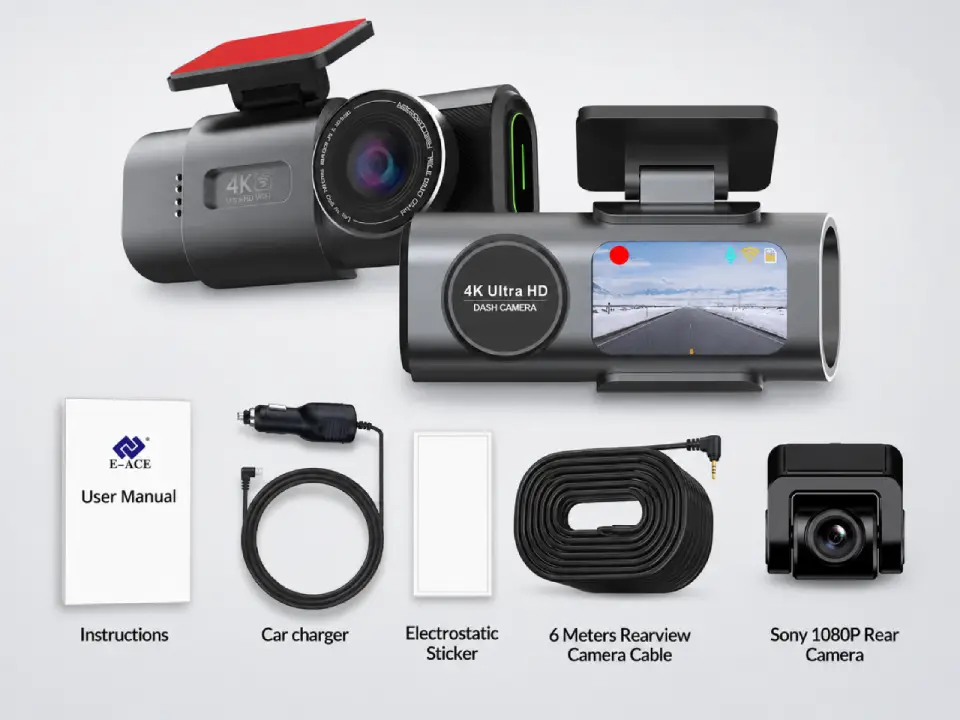
Dual Cameras
Package contents
- Everything in Standard
- Sony rear camera
- 6-meter connection cable
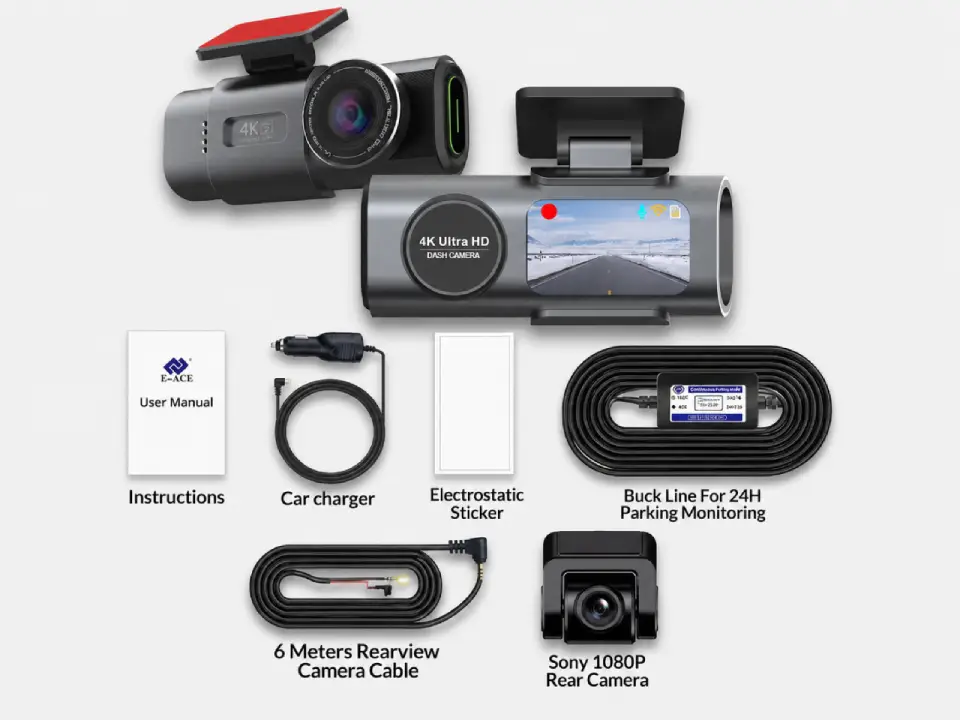
Full Protection
Package contents
- Everything in Dual Cameras
- 24h-compatible battery
- Live view from parked car
Free Shipping
5–10 days across Europe
Secure Payment
Apple Pay · PayPal · Stripe
2-Year Warranty
Full hardware coverage
30-Day Return
No questions asked
4K questions, answered
Is 4K overkill for everyday driving?
Not overkill, but not essential either. For documenting most incidents — a collision, a lane dispute — 1080p tells the story. 4K earns its place if you specifically want to read distant plates and you have the storage.
Does 4K still help at night?
Less than in daylight. Night is limited by light, not pixels, so a strong sensor matters more after dark. A real 4K sensor still helps, but don’t expect daytime plate reach once the road is unlit.
How big a memory card do I need for 4K?
Plan for 128 GB or more for comfortable 4K daily use, on a high-endurance U3 / V30 card. 32–64 GB works but loops over within a few hours of 4K footage.
Is the rear camera also 4K?
On the Dashline dual setup the front is true 4K and the rear records 1080p. The front does the detailed plate-reading; the rear covers what’s behind you. It’s an honest, common split.
4K vs 2K (1440p) — what’s the difference?
2K sits between the two: sharper than 1080p, lighter on storage than 4K. It’s a sensible middle ground if you want extra detail without 4K’s file sizes.
Will 4K drain my car battery faster?
Recording draws little power either way. What matters for parked recording is how the camera is powered — a hardwire kit with a cut-off protects your battery regardless of resolution.
Does 4K overwrite my footage sooner?
Yes — bigger files fill the card faster, so the loop comes round sooner. Size the card up, or back up clips you want to keep before they’re overwritten.
Is a higher frame rate better than 4K?
They’re different tools. 4K adds detail; a higher frame rate (e.g. 60fps) freezes fast motion. Most 4K caps near 30fps — fine for plates; smoother fps suits capturing the exact instant of an event.
READ THE LABEL
Native 4K vs upscaled 4K — the detail the box hides
Not all “4K” is equal. Native 4K means the sensor physically captures 3840×2160 — every pixel is real. Upscaled 4K records at a lower resolution and stretches it to fill a 4K file, so you get the storage cost of 4K without the detail. On a plate or a street sign, the difference is exactly where it counts.
The catch is storage. 4K uses roughly four times the space of 1080p — about 1 GB every three minutes, or 10–12 GB per hour for a 4K-front / 1080p-rear pair. A 128 GB card holds only ~10–12 hours before the loop recycles.
So the honest answer is “4K, if the card keeps up.” Size it with the storage & recording-time calculator, and pick a card that lasts using the SD-card guide.
Real 4K, where it counts
Worth it when you need to read the road
True 4K up front · subscription-free, local storage · honest about what footage can and can’t do.
Leave a Reply