

For business fleets & owner-operators
Protect every vehicle you put on the road.
Subscription-free 4K dash cams that record the evidence your business needs — one camera per vehicle, no monthly platform fee, nothing to renew.
True 4K evidence
GPS speed & location log
No monthly fee
Equip your fleet — one camera at a time.
The exposure
Every vehicle is a risk you can’t see.
Your drivers are professional. The roads they share are not. A staged brake-check, a disputed lane change, a car reversing into a parked van — and in a moment it becomes your word against theirs.
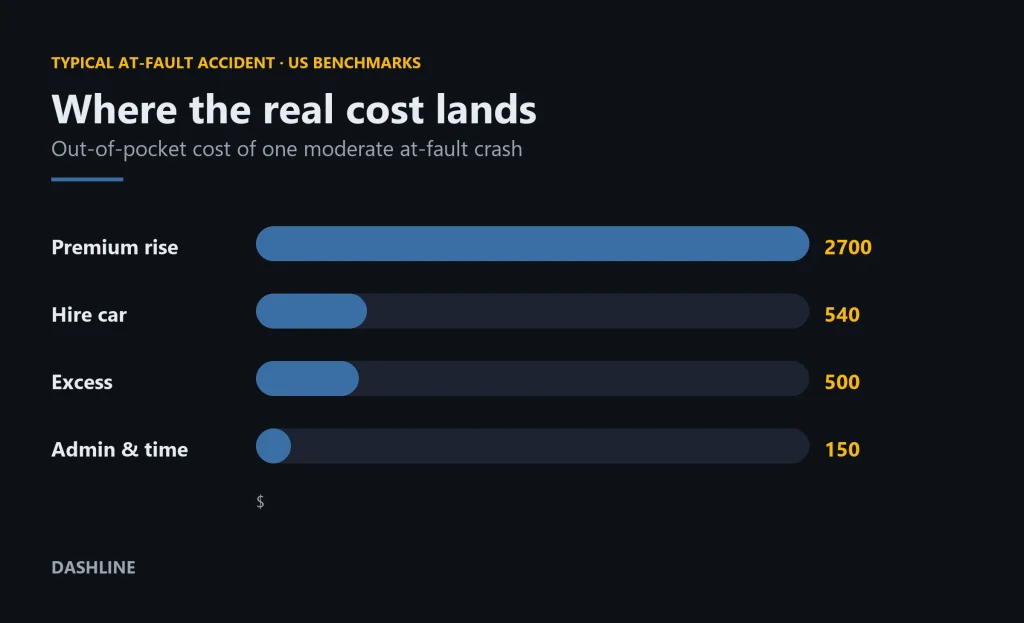
Fleets are seen as deep pockets, which makes them a target. When there is no footage, the claim tends to stick to the business — higher premiums, lost working days, hours of admin per incident, and a payout you never actually owed. Multiply that across several vehicles and a few drivers, and the exposure stops being occasional. It becomes a running cost you can’t quite see on the balance sheet.
A camera will not stop the collision. It changes what happens next: an exportable clip with the time, the location and the speed — instead of an argument nobody can prove.
Why it pays for itself
One disputed claim costs more than the cameras.
€0/month
No telematics subscription. The hardware is a one-time cost per vehicle — then it just records.
Minutes, not weeks
A clear clip settles a liability question quickly — fewer stalled claims, fewer admin hours per incident.
Lower exposure
Footage helps insurers assign fault correctly, so an honest driver isn’t blamed for someone else’s mistake.
We won’t promise a guaranteed premium cut — discounts depend on your insurer. What we can promise is evidence.
What a fleet actually gets
The capabilities that matter on a claim.
Not a dashboard full of scores you’ll never read — the few things that decide who pays after an incident.
4K
True 4K recording
3840×2160 detail, so plates, signage and lane position stay readable when you review the clip.
GPS
GPS speed & location
Every clip is stamped with where it happened and how fast — the metadata a claim turns on.
LOCK
G-sensor event lock
A sudden impact auto-locks the clip, so loop recording can never overwrite the moment that matters.
24H
24/7 parking mode
Hardwired, it keeps watching depot and street parking long after the engine is switched off.
WIFI
WiFi clip retrieval
Pull the footage you need to a phone over the camera’s own WiFi — no cable, no card removal.
LOOP
Loop recording
Continuous recording to a microSD card; the oldest unprotected footage rolls over by itself.
Built for many vehicles
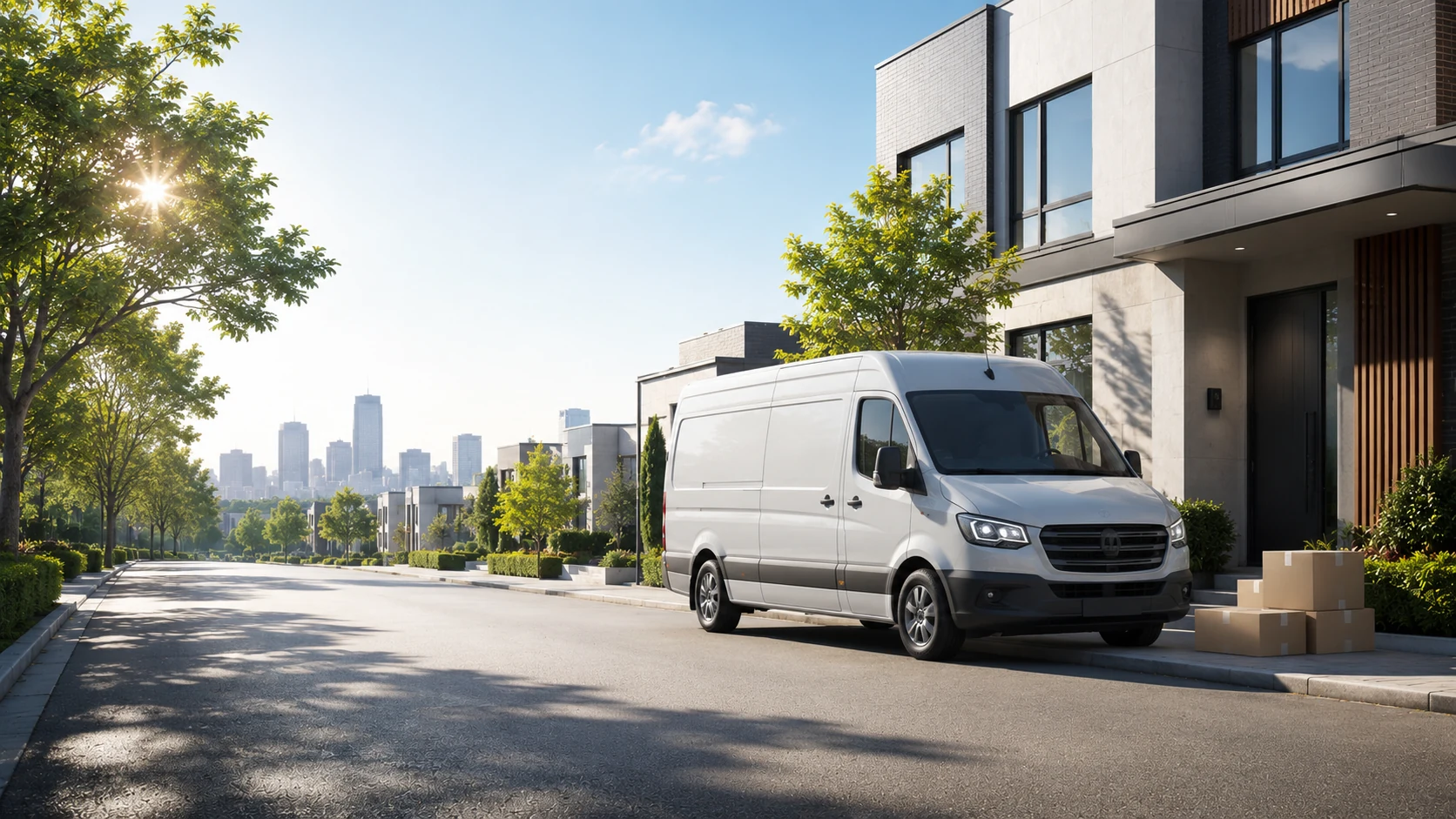
Every vehicle. Every route. The same kit.
Each camera works on its own. There is no SIM card, no gateway, no fleet server to maintain. Fit one unit per vehicle and each records independently to its own card.
That keeps a small fleet simple: no per-vehicle data plan, no dashboard licence, nothing to renew each year. The footage stays in the vehicle until the day you actually need it.
When something happens, you or the driver opens the app on site, finds the clip by time, and exports it. Need live remote streaming across vehicles? That is a telematics platform — not this.
Fleet coverage estimator
Size it for your fleet.
Dashline scales one camera at a time. Here is roughly what each fleet size takes to cover — and what it never costs you. There is no minimum order and no tier to unlock: a single owner-operator and a twenty-van operation fit the same camera the same way, just at different quantities.
1
Owner-operator
Cameras: 1 per vehicle
Storage: 64–128GB card each
Loop: ~12–24h
Setup: ~10 min/vehicle
Monthly fee: €0
3–5
Small fleet
Cameras: 1 per vehicle
Storage: 64–128GB card each
Loop: ~12–24h / vehicle
Setup: ~10 min/vehicle
Monthly fee: €0
6–10
Growing fleet
Cameras: 1 per vehicle
Storage: 64–128GB card each
Loop: ~12–24h / vehicle
Setup: ~10 min/vehicle
Monthly fee: €0
11–25+
Multi-van fleet
Cameras: 1 per vehicle
Storage: 64–128GB card each
Loop: ~12–24h / vehicle
Setup: ~10 min/vehicle
Monthly fee: €0
Loop hours are approximate and depend on resolution and bitrate. Add one card per vehicle; the same WiFi app handles every camera. No platform tier, no per-seat licence.
Be clear on what this is
An evidence camera — not a tracking platform.
What Dashline is
- A one-time 4K evidence camera, one per vehicle
- GPS speed- and location-stamped footage
- G-sensor event lock and 24/7 parking mode
- On-site WiFi retrieval, no subscription
What it isn’t
- Not a cellular live-tracking platform
- Not real-time GPS fleet tracking or geofencing
- Not an AI driver-facing scoring or coaching system
- No dedicated infrared cabin camera; plate readability depends on distance, speed and light
If you need live GPS tracking or AI driver scoring across fifty-plus vehicles, you need a telematics subscription. If you need reliable, subscription-free evidence on a small fleet, that is exactly what this is.
When it counts
Three moments footage pays for itself.
The incidents small fleets tell us about most often — and where a clip changes the outcome.
Scenario 01
The brake-check
A car cuts in front of your van and stops hard, hoping you’ll rear-end it. The forward clip shows the manoeuvre and your actual speed, and the staged claim falls apart before it costs you.
Scenario 02
The car-park dent
A vehicle returns from a job with a fresh scrape and no note left behind. Parking-mode footage timestamps the contact — and, often, captures the vehicle that caused it.
Scenario 03
The disputed junction
Two drivers, two versions, one junction. GPS-stamped video shows who actually had right of way, so an honest driver isn’t blamed simply because it’s their word against another’s.
None of this prevents the incident — it decides who pays for it. That’s the same reason a clip can matter to your insurer: see how dash cam footage supports a claim.
Buying guide
What to look for in a fleet dash cam.
Fleet camera marketing is loud. For a small operation, the decision comes down to five practical things — whatever logo is on the box.
- Resolution that stays readable — 1080p looks fine until you zoom in on a plate. True 4K keeps detail legible when a clip is reviewed frame by frame.
- GPS and speed metadata — Location and speed stamped onto the footage turn \u201cI think I was doing thirty\u201d into a record nobody can argue with.
- A reliable event lock — A G-sensor that protects impact footage so routine loop recording can never overwrite the few seconds that matter.
- Parking protection — Cover for the hours vehicles sit still at depots and kerbsides, where a surprising share of fleet damage actually happens.
- Honest running cost — Know whether you are buying hardware once or renting a platform forever. For a small fleet, recurring fees add up faster than the cameras did.
Dashline is built around exactly those five — 4K, GPS-stamped, event-locked, parking-ready, and bought once. The trade-off is honest: you get dependable evidence, not a live-tracking platform.
Made for the way your fleet works.
Whatever your vehicles do all day, the risk is the same: no proof when it counts.
Delivery & courier
Tight streets, constant stops
Dozens of drop-offs, narrow roads and parked-vehicle knocks. Front and rear footage documents kerbside incidents and reversing disputes drivers can’t otherwise prove.
Field service & trades
Parked on site all day
Vans loaded with tools, left at a job for hours. Parking mode keeps watching the vehicle and its contents while your team is inside working.
Owner-operator & taxi
One vehicle, your livelihood
It is your record on the line every shift. A clear clip protects an honest no-claims history when someone else’s story doesn’t match the road.
While the fleet sleeps
Protection doesn’t clock off at 6pm.
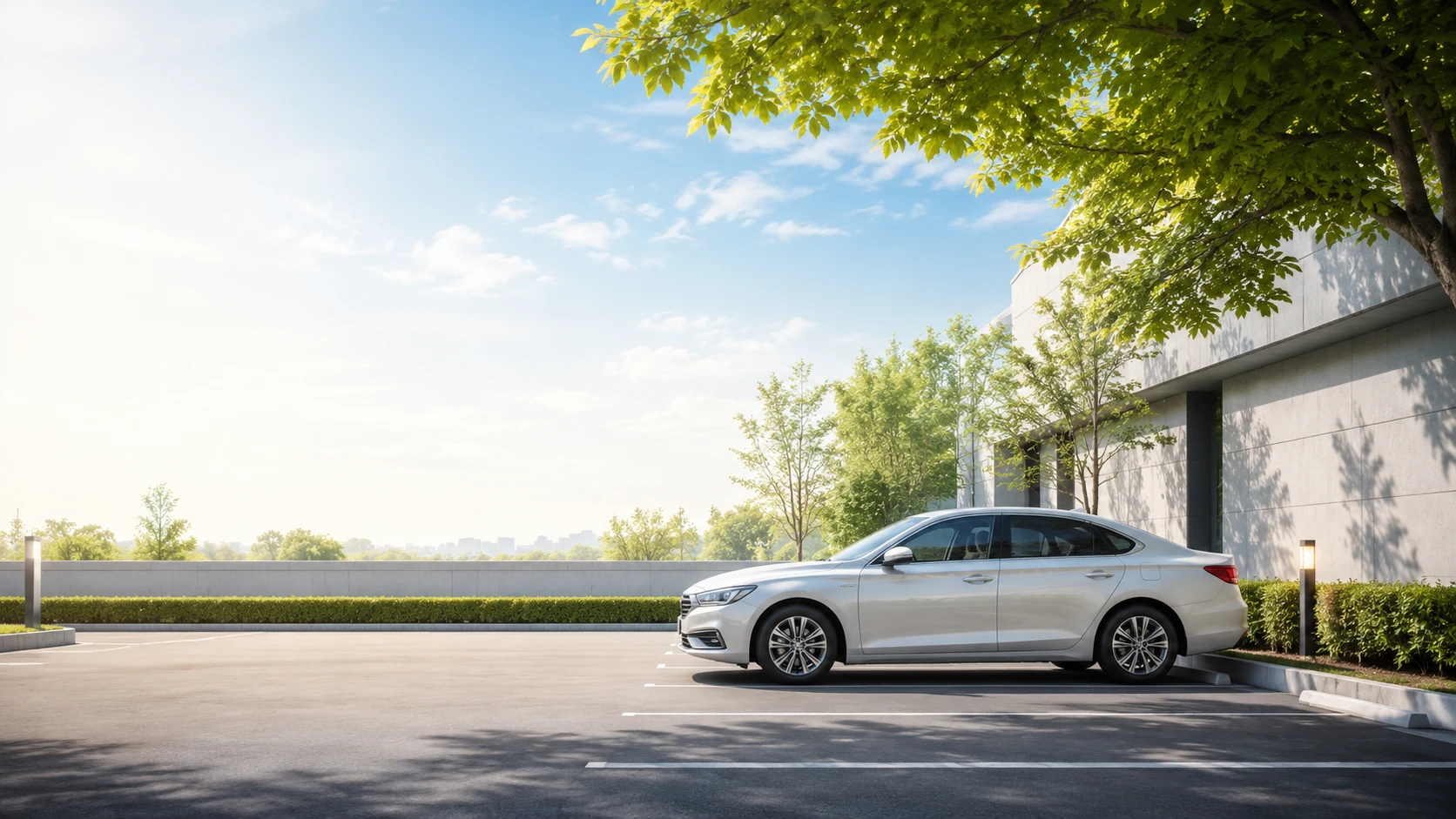
A lot of fleet damage happens when nobody is driving — a depot scrape, a hit-and-run in a car park, an overnight break-in. The driver only finds it the next morning.
Hardwired with the 24H kit, Dashline stays on after the engine stops. The G-sensor wakes the camera on impact and locks the moment, so the footage is still there when you need it.
It is the same protection we cover in detail — learn how parking mode works.
Rollout
Roll it out in an afternoon.
STEP 1
Install
Plug into the 12V socket, or hardwire it for parking mode. Mount behind the mirror and tidy the cable. About ten minutes per vehicle.
STEP 2
Record
It loops automatically, stamping GPS and speed onto the footage and locking clips on impact. Your drivers do nothing day to day.
STEP 3
Retrieve
Open the WiFi app on site, find the clip by date and time, then export and share it. No card removal, no laptop.
Retrieval is per vehicle, on location — there is no central cloud pulling every camera at once. For a small fleet, that’s a feature: nothing to host, nothing to breach.
Choose your setup
One camera. Three levels of protection.
Per vehicle: start front-only, add the rear camera for behind-and-cabin coverage, or go full 24/7 with the parking battery. Fit the same choice across the fleet.
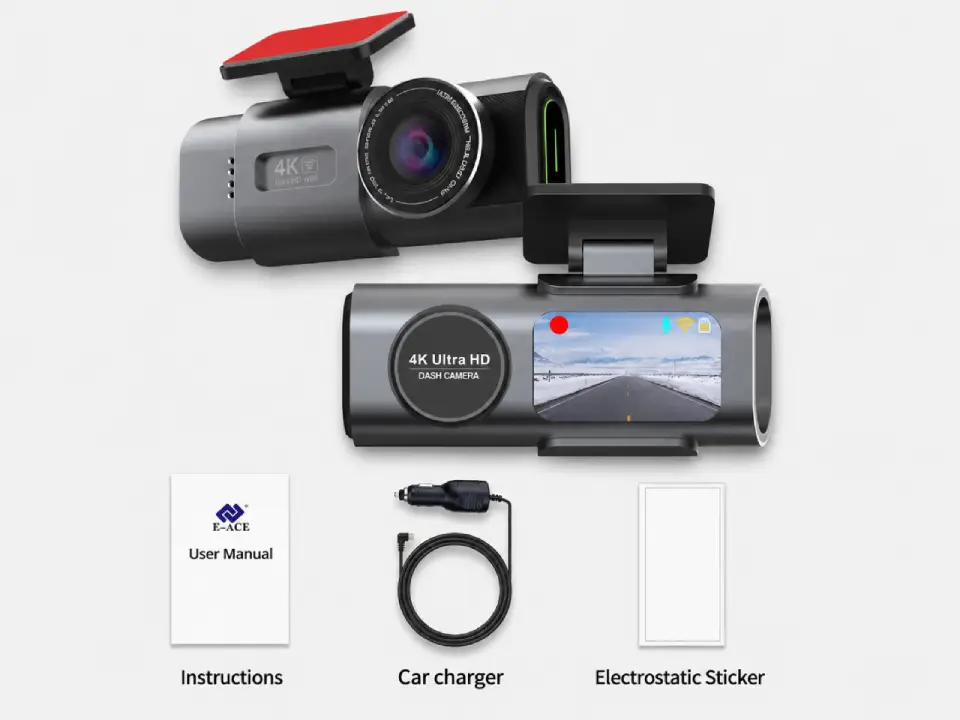
Standard
Package contents
- Front camera
- Car connection cable
- Magnetic sticker
Most popular
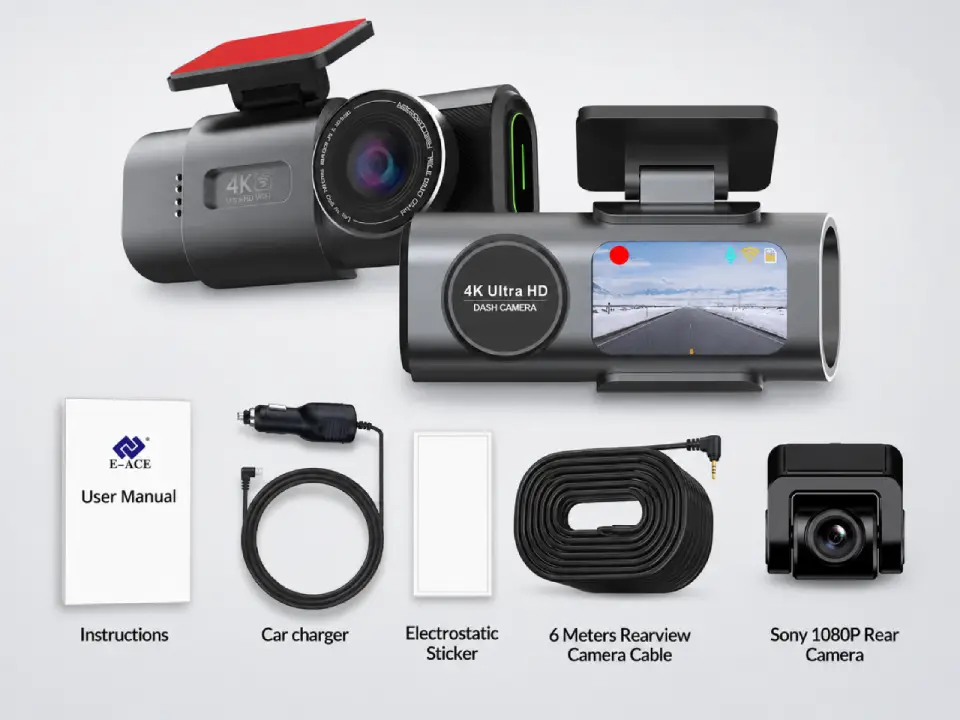
Dual Cameras
Package contents
- Everything in Standard
- Sony rear camera
- 6-meter connection cable
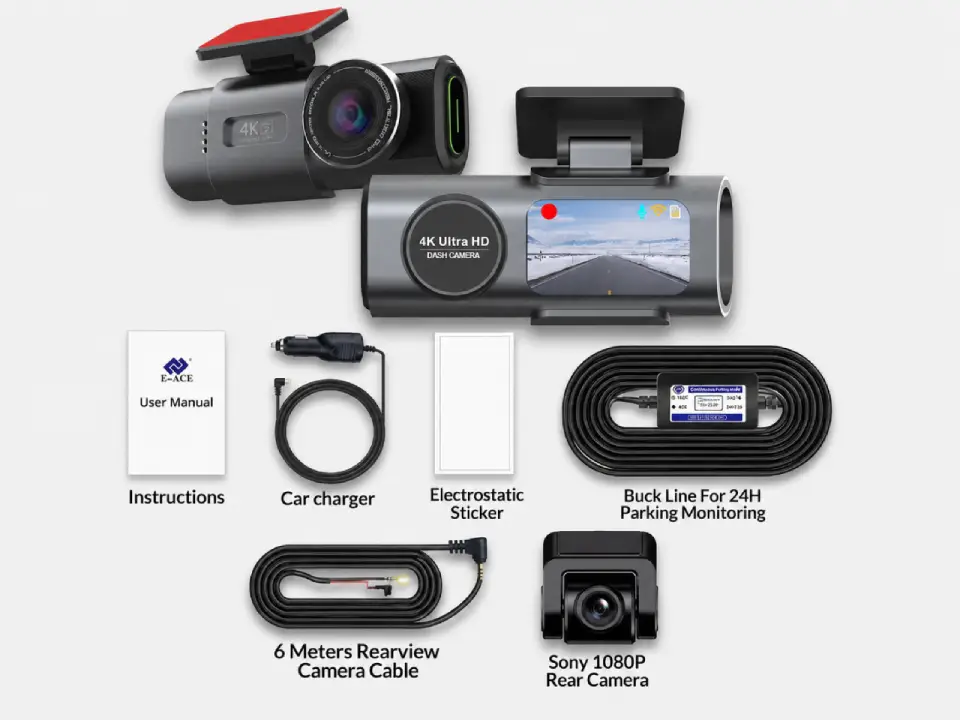
Full Protection
Package contents
- Everything in Dual Cameras
- 24h-compatible battery
- Live view from parked car
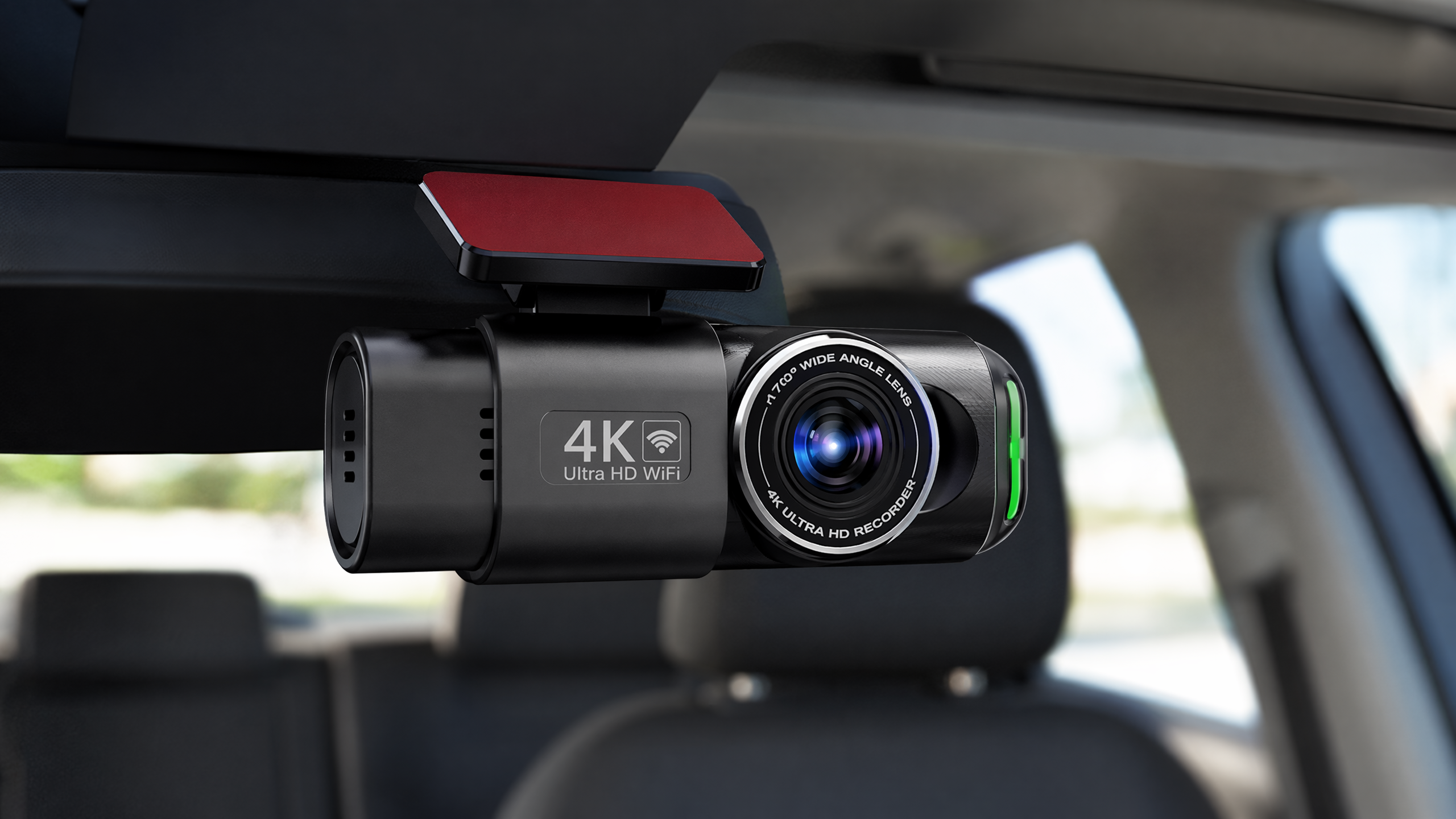
Equip your first vehicle
Dashline 4K Pro
Sony IMX415 sensor, 170° view, WDR night vision, WiFi retrieval and 24H parking-ready — the same camera, fitted across your whole fleet.
✓ True 4K Ultra HD — 3840×2160 @ 30fps
✓ GPS speed & location stamped on every clip
✓ G-sensor event lock keeps incident footage
✓ 24H parking mode (with hardwire kit)
✓ WiFi app — export clips on site, no cable
✓ microSD up to 128GB, loop recording
Free EU shipping · 2-year warranty · 30-day returns. Buying for several vehicles? Order one per vehicle and fit them the same way.
Free Shipping
5–10 days across Europe
Secure Payment
Apple Pay · PayPal · Stripe
2-Year Warranty
Full hardware coverage
30-Day Return
No questions asked
Fleet questions, answered honestly.
What a small fleet usually wants to know before fitting Dashline.
How many cameras do I need for my fleet?
One per vehicle. Each camera records independently to its own microSD card, and you manage all of them from the same WiFi app — there is no central unit to buy.
Is there a monthly subscription or platform fee?
No. The hardware is a one-time cost per vehicle. Footage is stored on the microSD card in each camera and retrieved over WiFi — nothing recurring to pay.
Can I track my vehicles’ live location?
No. Dashline is not a live GPS tracker. It logs GPS speed and location onto the footage as metadata for evidence, but it does not stream positions to a server or show vehicles on a live map.
Does it record the driver or inside the cab?
The front camera faces the road. The optional rear camera covers behind the vehicle and the cabin line on the windscreen — it is not a dedicated infrared driver-monitoring camera. Check local rules and tell your drivers cameras are fitted.
Will it lower our fleet insurance premium?
We can’t promise that — it depends entirely on your insurer. The dependable benefit is evidence: a time-, location- and speed-stamped clip that helps settle a disputed claim in your favour.
Can one person manage footage for several vehicles?
Yes. The app connects to each camera over its own WiFi when you are next to the vehicle. Retrieval is per vehicle and on site, which keeps footage private and means there is no cloud account to secure.
THE RUNNING-COST QUESTION
Why subscription-free matters for a fleet
For a single car a monthly fee is an annoyance; across a fleet it’s a line item that never stops. Many fleet and telematics cameras charge a recurring per-vehicle subscription for cloud storage and live tracking — that cost scales with every van you add.
A subscription-free camera records to a memory card in each vehicle, so the evidence is there when you need it with no ongoing bill. The honest trade-off: you give up live cloud tracking and remote streaming. This is an evidence tool — footage you pull after an incident — not a real-time telematics platform.
If tracking is what you’re really after, it’s worth reading how a dash cam differs from a GPS tracker; if your drivers are mostly making drops, the delivery-driver setup covers the same ground for gig work.
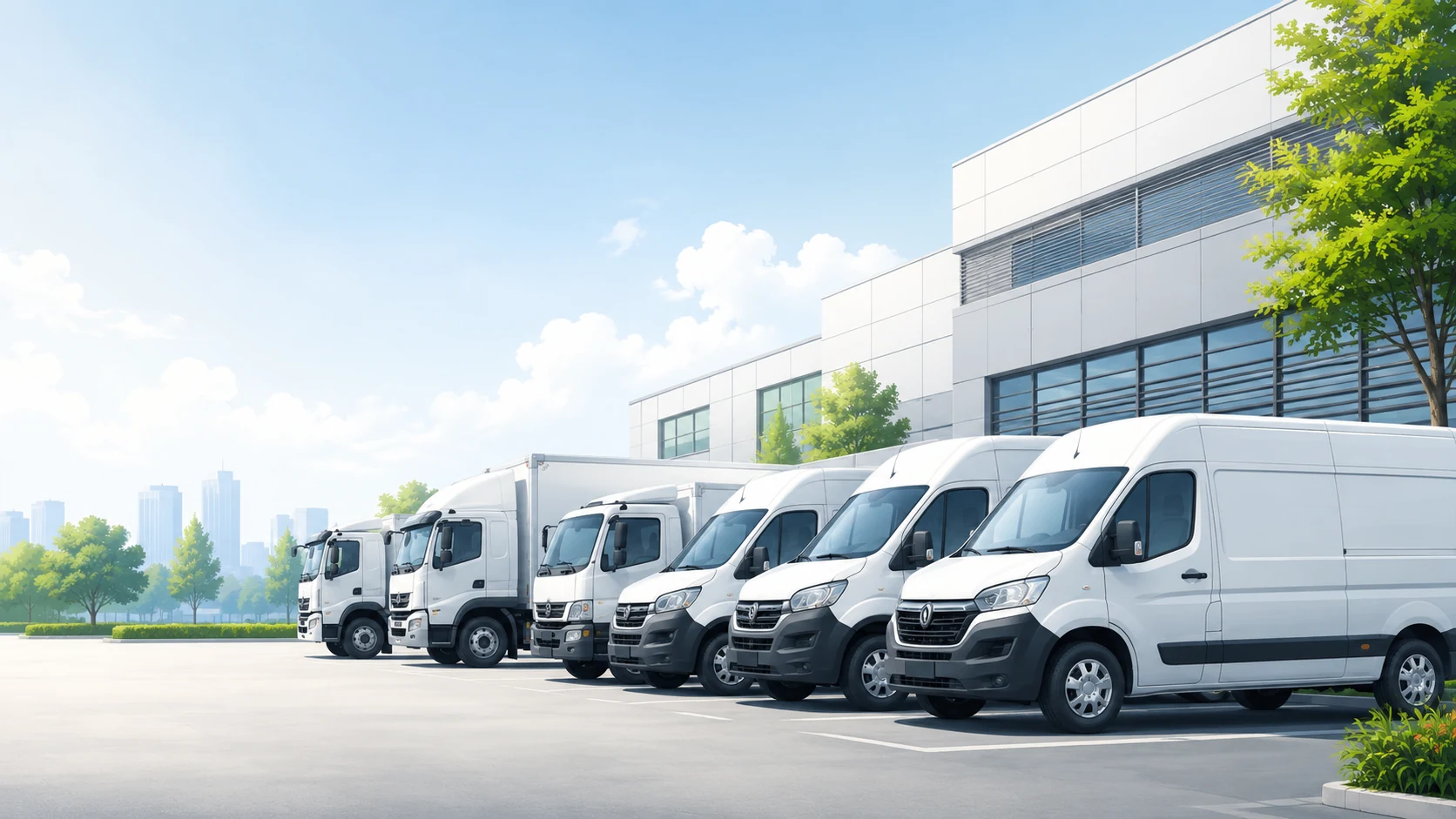
Ready when you are
Equip your fleet, one camera at a time.
Subscription-free 4K + GPS evidence
·
2-year warranty, 30-day returns
·
Same kit fits every vehicle
Leave a Reply