
GPS Tracker
Tracks where
you go.
Real-time location. Route history. Speed data. A GPS tracker answers one question: Where is the vehicle right now?
- Live map location
- Route history and mileage logs
- Requires a monthly subscription
- No video — no footage of what happened
Dash Cam
Records what
happened.
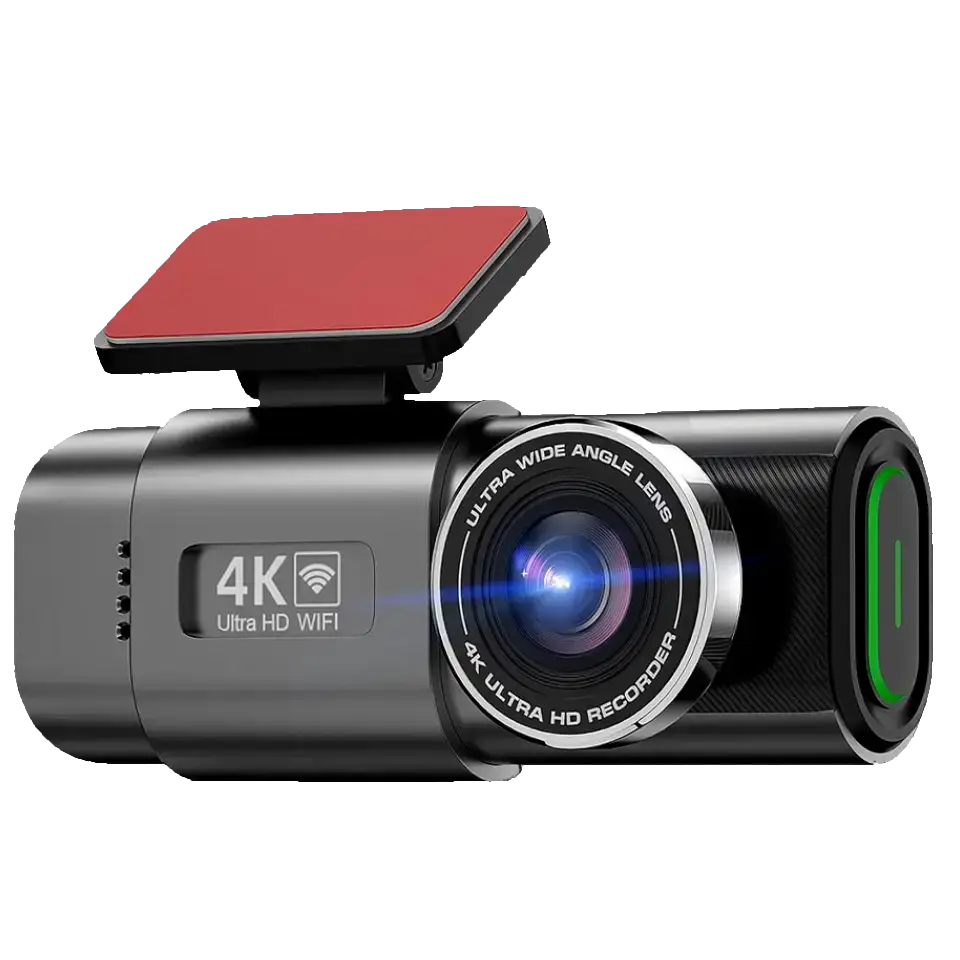
4K video of every incident — timestamped, GPS-tagged, stored on a MicroSD card you own. It answers: What actually occurred?
Two tools. One question each.
A GPS tracker answers “Where is it?” A dash cam answers “What happened?” They solve different problems — and many drivers searching for a GPS tracker actually need a dash cam. Here is how to tell them apart.
What each one actually does
Dash Cam
What Dashline records
- 4K video of the road ahead (and rear with dual cam)
- Timestamps, speed, and GPS coordinates on every clip
- G-sensor locks footage during sudden braking or impact
- Parking mode records incidents while you’re away
- 30-day return, 2-year warranty — no subscription
- Footage stored locally on MicroSD — you own it
Best for: accident evidence, insurance claims, parking incidents, peace of mind.
GPS Tracker
What a GPS tracker reports
- Live vehicle location on a map
- Route history, stops, and journey duration
- Speed alerts and geofence boundary notifications
- Ignition status and engine diagnostics (some models)
- Usually requires a SIM card and monthly data plan
- No video — location only
Best for: fleet tracking, theft recovery, monitoring a second vehicle remotely.
Which one do you actually need?
Select your situation below.
A dash cam is what you need.
If your goal is to prove what happened in an accident, protect yourself against false claims, or have a record of a parking hit-and-run — that is exactly what a dash cam does. It captures 4K video of every journey, locks the clip during a collision via G-sensor, and stores everything locally on a MicroSD card. No subscription. No monthly fee.
The Dashline also logs GPS coordinates on every frame — so your footage shows not just what happened, but where and when. That is what insurers and police need.
You need a GPS tracker — not a dash cam.
If you want to know where a vehicle is right now, track its route, set geofence alerts, or monitor a teenager’s driving in real time, a GPS tracker is the right tool. A dash cam does not transmit location — it records footage locally. The two serve different purposes.
That said: a dash cam with GPS logging (like the Dashline) will embed the vehicle’s coordinates into each footage clip. That is useful as evidence after an incident, but it is not live tracking. For real-time location data, you need a separate GPS tracker device.
You can run them together — they don’t interfere.
A dash cam and a GPS tracker are independent devices. Many fleet operators, delivery drivers, and security-conscious private owners run both: the dash cam handles video evidence and the GPS tracker handles location monitoring. They plug into different power sources and work independently.
If budget is a constraint, prioritise the dash cam first — video footage is the single most useful thing to have after an incident. Add a GPS tracker later if you need real-time location monitoring. The Dashline already logs GPS in every clip, so you have location data as part of your footage from day one.
When a dash cam wins
Three situations where footage changes everything
After a collision
When two drivers tell two different stories, footage is the only account that cannot be disputed. A timestamped 4K clip shows exactly what happened — speed, position, road markings. Your insurer can make a decision in hours, not weeks.
Parking hit-and-run
A GPS tracker tells you the car was in the car park. It cannot show you which vehicle clipped yours and drove off. Parking mode on the Dashline keeps the camera active when the engine is off, recording any impact or motion near the vehicle — plate included, conditions permitting.
Contesting a false claim
Staged accidents and exaggerated injury claims are real risks for any driver. Footage of the moments before, during, and after an incident gives you objective evidence. It does not guarantee a win in every case, but it makes your position defensible where otherwise it would be your word alone.
How it works in practice
Incident. Clip. Proof.
01
The incident happens
Another driver pulls out. Your G-sensor detects the impact and immediately locks the clip — it cannot be overwritten by loop recording. The camera was running the entire time.
02
Pull the clip
Open the Viidure app on your phone. Connect via WiFi. The locked clip appears immediately — you can review it on-screen or export it directly. No account, no cloud dependency, no waiting.
03
You have proof
Send the file to your insurer. The clip carries a timestamp, GPS coordinates, and your speed at point of impact. No dispute. No “your word against theirs.” A GPS tracker could only tell them you were there.
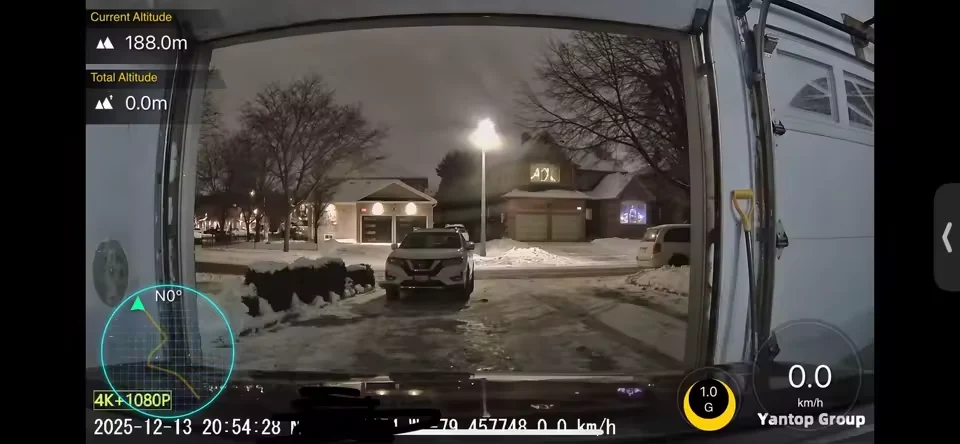
What 4K captures
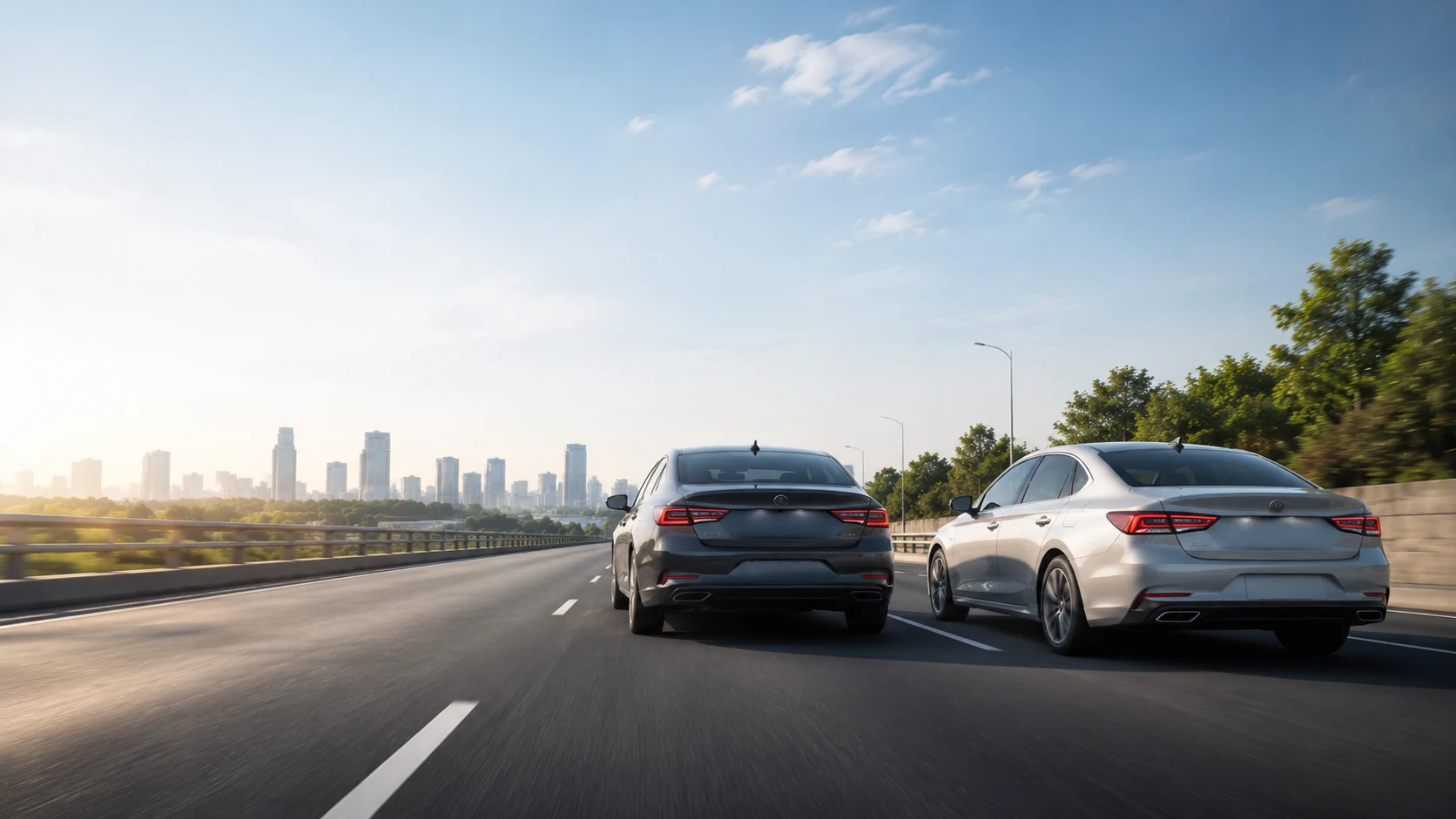
This is what the camera sees
The footage above is from a Dashline-class 4K sensor on a typical highway run. Vehicle positions, lane markings, and the relative speed of surrounding traffic are all clearly readable in the clip. Every frame carries an embedded GPS coordinate and timestamp.
Plate readability depends on distance, speed, and lighting conditions — the camera cannot guarantee a clear plate at 70 mph in rain. But in the majority of real incidents (low-speed urban impacts, parking collisions, slow-moving traffic) the footage provides enough detail to resolve disputes. A parking mode clip keeps recording even when the engine is off.
A GPS tracker would confirm the vehicle was on this road. It would not show you what the vehicles around it were doing.
Honest limits
What a dash cam does not do
No real-time location tracking
The Dashline logs GPS data into footage clips, but it does not transmit location live. You cannot see where the car is right now from an app. That is a GPS tracker’s job.
No geofencing or movement alerts
A dash cam does not send you a notification when the vehicle leaves a defined area. Geofencing requires a live-connected GPS tracker with a data plan.
Footage is evidence, not prevention
A dash cam records what happens — it does not prevent accidents or deter all thieves. The deterrent effect on opportunistic behaviour is real but not guaranteed.
Plate readability is conditional
At high speed, at night, or in heavy rain, plates may not be legible. The camera captures what it can see — not a guaranteed plate number in every scenario.
We say this because it matters. A dash cam is genuinely useful — but only for the job it was designed to do.
Choose your setup
One camera. Three levels of protection.
From everyday recording to full 24/7 surveillance — pick the package that matches how you drive.
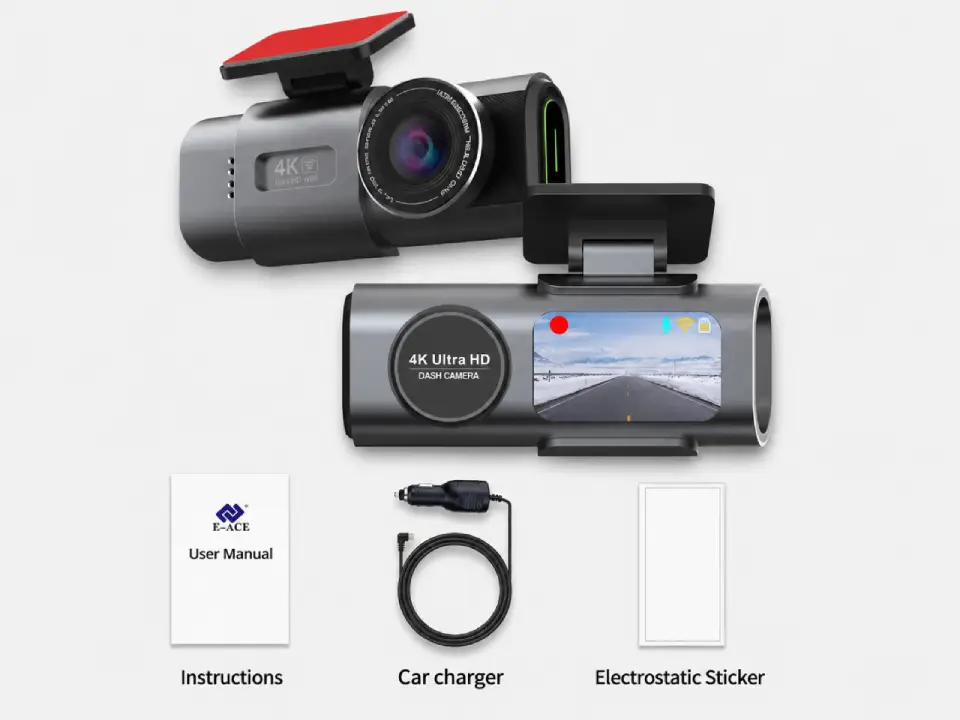
Standard
Package contents
- Front camera
- Car connection cable
- Magnetic sticker
Most popular
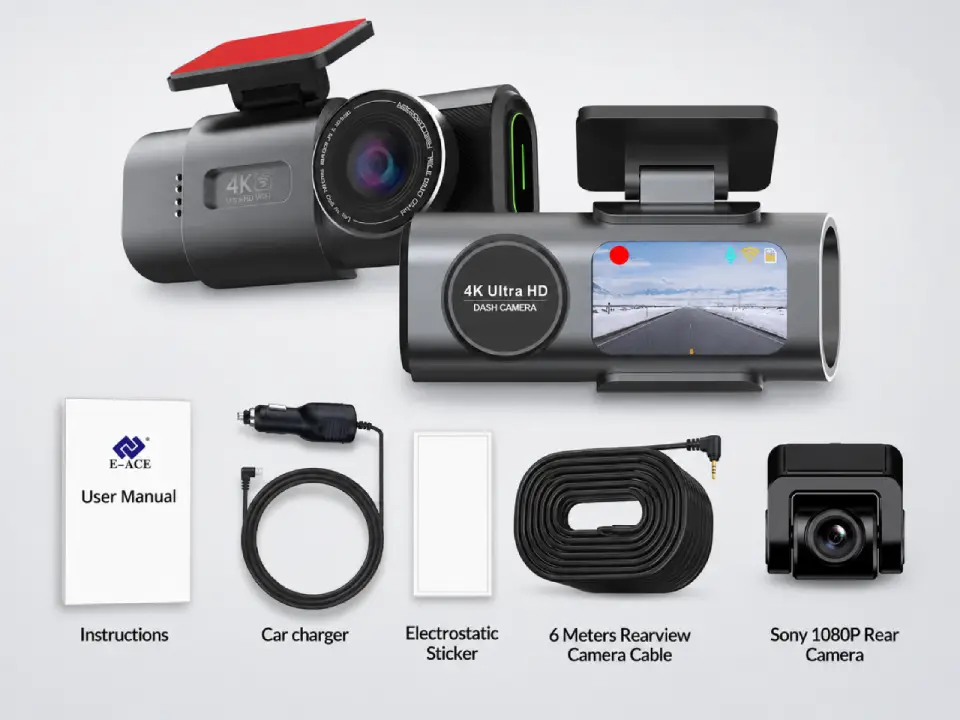
Dual Cameras
Package contents
- Everything in Standard
- Sony rear camera
- 6-meter connection cable
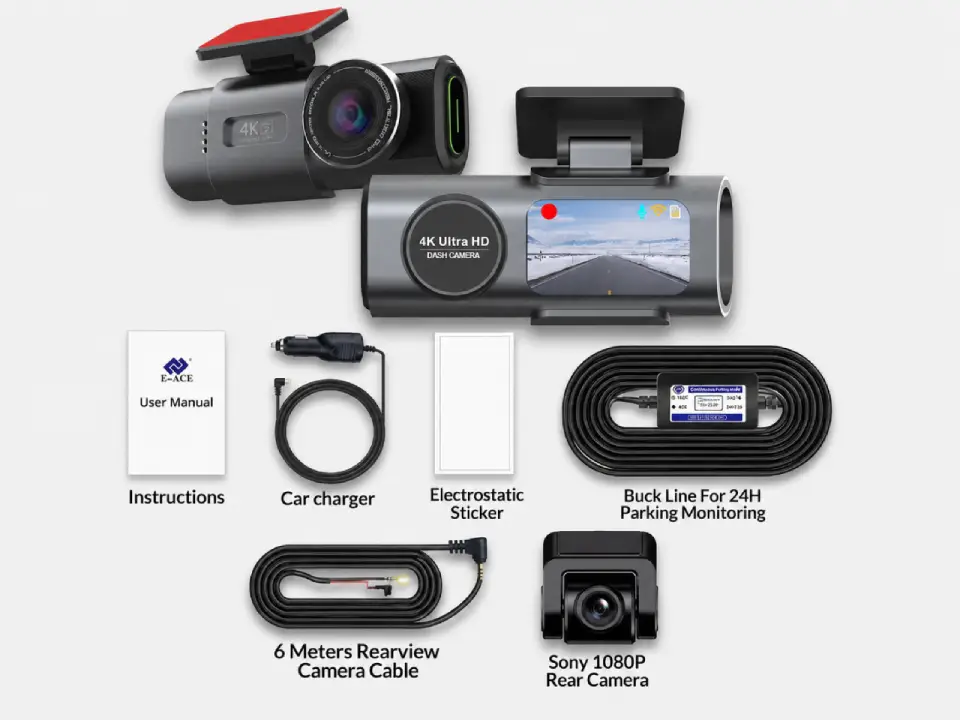
Full Protection
Package contents
- Everything in Dual Cameras
- 24h-compatible battery
- Live view from parked car
Free Shipping
5–10 days across Europe
Secure Payment
Apple Pay · PayPal · Stripe
2-Year Warranty
Full hardware coverage
30-Day Return
No questions asked
Common questions
Is a dash cam the same as a GPS tracker?
No. A dash cam records video footage of the road. A GPS tracker monitors and reports a vehicle’s location in real time. They solve different problems: a dash cam is for evidence and incident recording; a GPS tracker is for location and route monitoring. The two can be used together but neither replaces the other.
Does the Dashline dash cam include GPS tracking?
The Dashline 4K dash cam includes a GPS module that logs your speed and coordinates into each recorded clip. This is GPS logging, not GPS tracking. The difference: GPS logging records location data into the footage file for use as evidence later. GPS tracking means the device transmits live location to a server or app. The Dashline does the former — useful for incidents — but does not stream your location anywhere.
Can dash cam footage be used as legal evidence?
In most countries, yes — dash cam footage is regularly accepted by insurers, police, and courts as supporting evidence in accident claims and road disputes. The footage does not automatically prove fault, but it provides an objective record of the incident. Rules vary by jurisdiction, and footage showing the interior cabin (where passengers are visible) may be subject to privacy regulations in some regions.
Do I need a subscription to use the Dashline?
No. The Dashline is a one-time purchase. Footage is stored locally on a MicroSD card. There is no cloud account, no monthly fee, and no subscription tier to unlock features. This is one of the key differences from many GPS tracker products, which require an active SIM and data plan to transmit location data.
Can I see my dash cam footage remotely?
Only when you are within WiFi range of the camera. The Dashline connects to the Viidure app over a direct WiFi link — you can review and export clips from your phone while near the vehicle. It does not stream footage over mobile data to a cloud account. If you need remote video access from anywhere, that requires a cellular-connected dashcam (a different product category with ongoing costs).
Can I use a dash cam and a GPS tracker at the same time?
Yes, and they work independently. A dash cam typically connects to the 12V socket or is hardwired to the fuse box. A GPS tracker usually plugs into the OBD port or is hardwired separately. They do not interfere with each other. Many fleet operators, delivery services, and security-conscious private drivers run both — the dash cam for footage evidence and the GPS tracker for location reporting.
Which is better for theft recovery — a dash cam or a GPS tracker?
A GPS tracker is significantly better for theft recovery because it can report the vehicle’s live location to police in real time. A dash cam may capture footage of the theft occurring and the thief’s face or plate — useful as evidence — but it cannot tell you where the car is once it has been driven away. For theft recovery specifically, a GPS tracker is the right tool. A front and rear dash cam is the right complement once the vehicle is recovered.
Dashline 4K Dash Cam
Your dash cam.
Everywhere you drive.
One-time purchase. No subscription. 4K footage, GPS logging, parking mode — the evidence you need, stored locally on your own card.
Leave a Reply