
Dashline · The part everyone forgets
Your dash cam SD card is a consumable
A dash cam SD card is the only part of the system that wears out while you drive. The camera can be perfect and the footage still gone — because loop recording writes to that card, deletes from it, and writes over it again, every minute the engine runs. Here is what actually kills cards, which of the markings on the label matter, and how to buy one that survives a 4K camera.

The failure nobody sees
The camera was recording. The card wasn’t.
This is the quietest way to lose evidence. The lens is clean, the mount is solid, the little red light blinks exactly as it should. Then something happens, you pull the card, and the minute you needed is a corrupted file or simply isn’t there.
Nothing warned you, because a worn memory card doesn’t announce itself. It drops a few frames. It loses a chunk between two clips. It throws one card error on a cold morning and then behaves for a fortnight. By the time the camera refuses to record at all, the card has been failing for months.
Month 1 — invisible
Write speeds sag. The camera compensates. You notice nothing.
Month 6 — cosmetic
A clip stutters. A few seconds vanish at a file boundary.
Month 12 — intermittent
The first card error. It clears after a format, so you move on.
Month 18 — terminal
Files won’t open. The camera reboots. The footage was never written.
The 30-second answer
If you only read this far
Buy the endurance lineNot the fastest card, not the flagship — the one the maker sells for continuous recording. It uses flash rated for constant rewriting.
V30 or better, U3 or betterThat is the sustained-write floor for 4K. Below it, a camera drops frames under load. A1 and A2 are phone ratings — they mean nothing here.
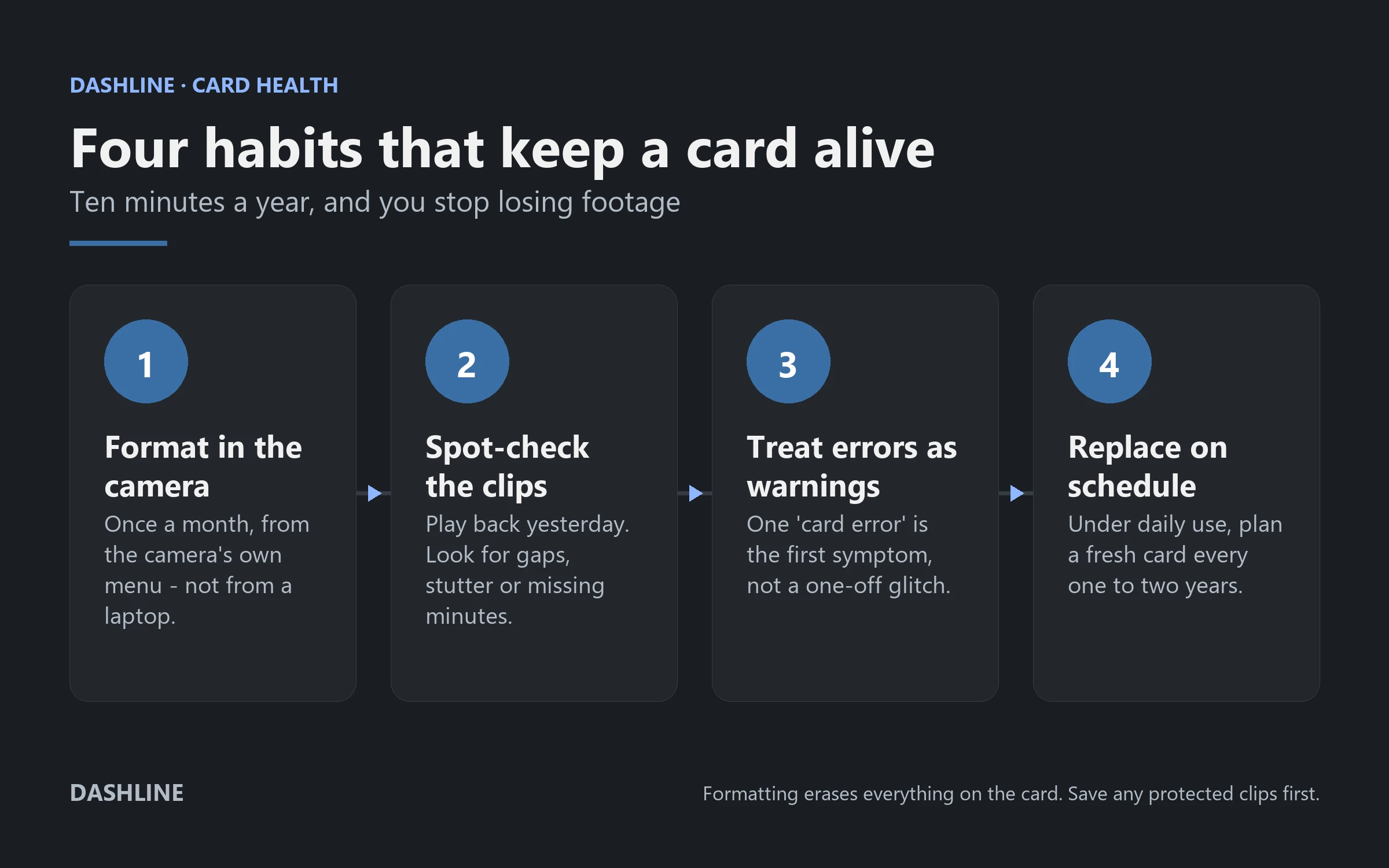
Format it monthly, in the cameraNot from a laptop. It keeps the file system clean and is the single cheapest habit in dash cam ownership.
Replace it every one to two yearsUnder daily driving. A card is a wear part, like brake pads. Nothing you do makes it permanent.
Card health lifeline
Two cards, three years, one survivor
A dash cam writes continuously. That workload is nothing like a phone’s, and it is the reason two cards that look identical on the shelf behave completely differently on a windscreen. Below: roughly how the same three years treat a standard card and an endurance card in a 4K camera.
Standard microSD card
Gone before year two
High-endurance microSD card
Replace it before it asks
Illustrative, not a guarantee. Real lifespan depends on resolution, cabin heat, whether parking mode keeps the card writing overnight, and how honest the card was to begin with. Two cards from the same batch can differ. The shape of the curve is the point: a standard card spends most of its life in a state you cannot trust.
What actually kills a dash cam SD card
Three things, in order: the flash inside it, the heat around it, and the fact that loop recording never stops. Endurance cards are built for exactly this — cheap cards are built for holiday photos and hope for the best.
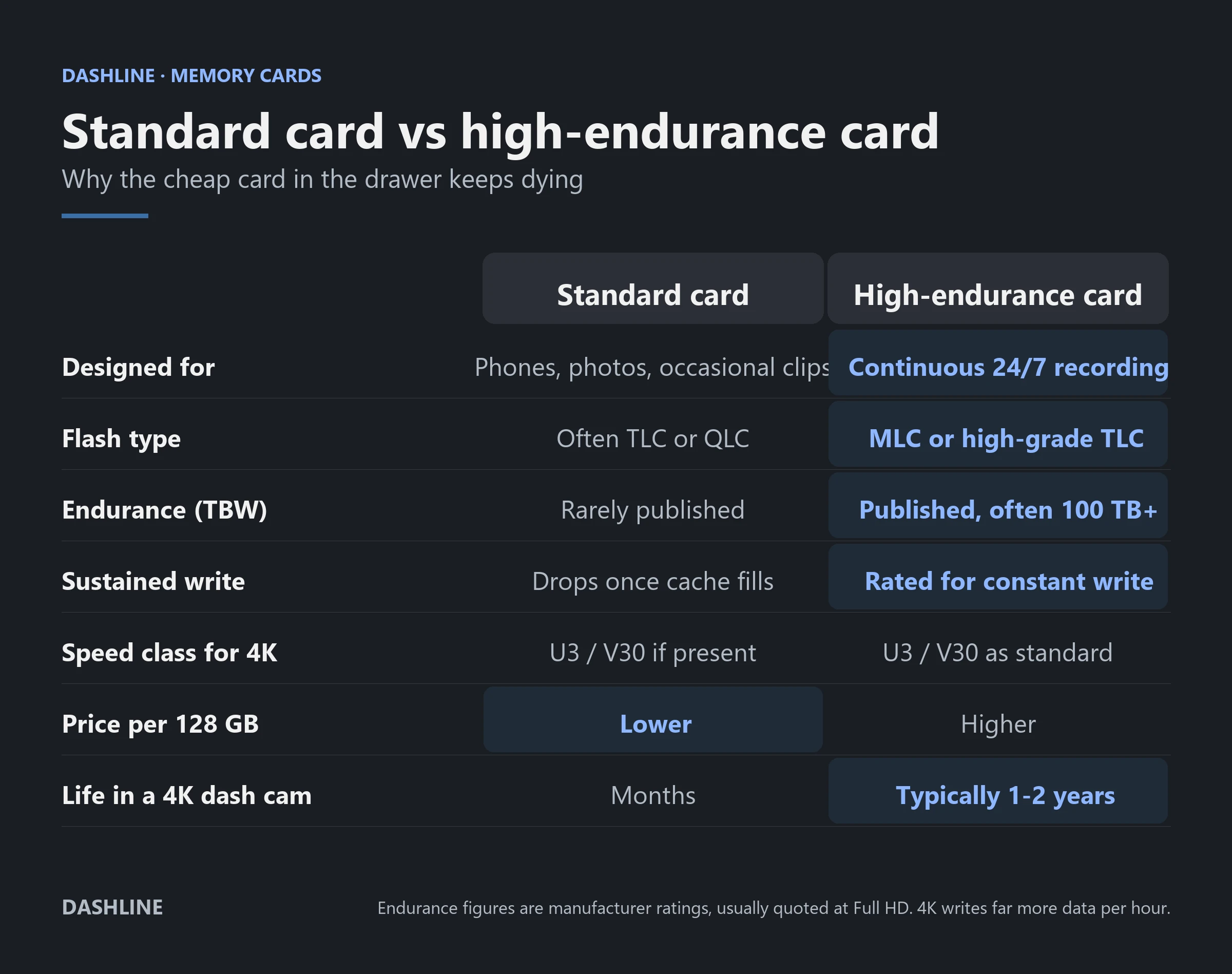
The one row where the cheap card genuinely wins is price — and that is the whole trap. A €12 card and a €28 card look the same in the camera on day one. They diverge somewhere around month eight, silently, in the only footage you will ever care about.
Symptom → diagnosis
What is your card trying to tell you?
Five things drivers actually report, and the honest reading of each. Not every symptom is the card’s fault — two of these are usually something else, and saying so is more useful than selling you a card.
The camera cannot mount the file system.
“Card error” on startup
Sometimes it is a loose card or a dirty contact — reseat it first. If it recurs, format in the camera. If it recurs after that, the card is telling you it is finished. A card that has thrown two errors will throw a third, usually on the day it matters.
Do thisReplace the card. Do not keep formatting a card that keeps erroring.
Clips exist either side of a gap that was never written.
Minutes missing from the timeline
This is the classic signature of a card that can no longer sustain the write speed. The camera hands over 4K data faster than the card can absorb it, the buffer overruns, and the file is abandoned. It is not a software bug and no setting fixes it.
Do thisCheck the card is V30/U3. If it is, it has worn. Replace it.
Usually power, occasionally the card.
The camera reboots while driving
Reboots are more often a power problem — a cigarette-lighter socket that cuts under vibration, or a hardwire kit at its low-voltage cutoff. Rule power out first. But a card that stalls on a write can hang the camera hard enough to trigger a watchdog reset.
Do thisTest with a known-good card. If reboots stop, the card was the cause.
Often the container, not the card.
Files will not play on a computer
Dashline writes TS files (H.264). TS is chosen deliberately: unlike MP4, a TS file that loses power mid-write is still playable up to the cut. Windows and macOS players may not open it natively. VLC will, on both.
Do thisTry VLC before you assume corruption. If VLC also fails, suspect the card.
Locked clips are eating the card.
The card is “full” with loop recording on
Loop recording only overwrites unprotected footage. Every clip the G-sensor locked after a pothole, and every clip you protected manually, is exempt — and they accumulate. On a well-driven car a year of false-positive locks can consume a surprising share of the card.
Do thisCopy the protected folder off, then clear it. Lower G-sensor sensitivity.
Reading the label
What the markings mean — and which you can ignore
A microSD card carries up to six symbols. Most exist for cameras and phones, not for a device that writes 24 hours a day. Two of them decide whether your dash cam works.
| Marking | What it means | What a 4K dash cam needs |
|---|---|---|
| C10 | Class 10 — at least 10 MB/s sustained write. | Necessary, nowhere near sufficient. |
| U1 / U3 | UHS speed class — at least 10 or 30 MB/s sustained. | U3. Nothing less. |
| V10 / V30 / V60 | Video speed class — the minimum sustained write the card guarantees under continuous video. | V30 is the floor. V60 does no harm. |
| A1 / A2 | App performance — random read/write for running apps from the card. | Irrelevant. Ignore it completely. |
| High / Max Endurance | The maker’s continuous-recording line: endurance-grade flash, built to be rewritten constantly. | This is the line to buy from. |
| TBW | Total terabytes the card is rated to absorb before wear-out. | Published at all is a good sign. Higher is better. |
| Capacity | How much footage fits before the loop wraps. | Whatever your camera officially supports — no more. |
Capacity is worth a sentence of its own. A bigger card spreads the same daily writing across more flash cells, so it usually does last longer — but capacity never upgrades a cheap card into an endurance card. If you want to see how many hours a given size actually holds at 4K, our storage calculator does the arithmetic.
Ten minutes a year
Looking after a card you cannot see
None of this makes a card immortal. All of it moves the failure from “during the crash” to “during a Sunday afternoon”, which is the only improvement that matters.
Six rules
How to buy a card once instead of three times
Buy the endurance line
Every serious maker sells one — it is separate from the flagship photo card. That separation is the whole signal.
V30 minimum, always
Sustained write is the spec that matters. Peak read speed on the packaging is marketing for photographers.
Ignore A1 and A2
They describe running apps from the card. Your dash cam does not run apps from the card.
Buy where fakes aren’t
Counterfeit cards report a capacity they do not have. They work until the camera reaches the real limit, then footage disappears.
Verify the capacity once
A free capacity-check tool writes and reads back the whole card. Ten minutes, once, on the day it arrives.
Respect your camera’s ceiling
Dashline’s specification supports microSD cards up to 128 GB. A 512 GB card is not a bargain if the camera cannot address it.
What Dashline asks of the card
A 4K camera is a demanding tenant
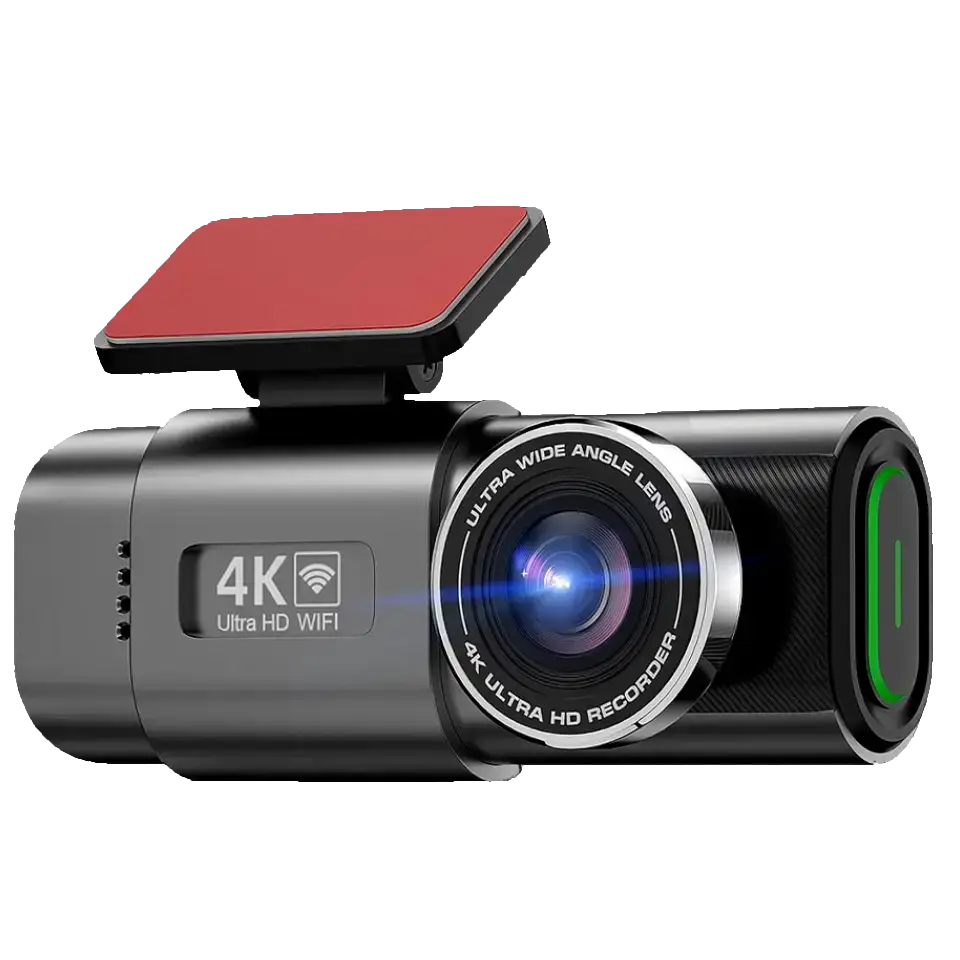
The Dashline 4K records 3840 × 2160 at 25 fps to the card, and writes TS files using H.264. TS is not an accident. An MP4 finalises its index when recording stops; cut the power mid-file and you can lose the whole clip. A TS stream stays playable right up to the moment the power went.
Our specification supports microSD cards up to 128 GB. Buy to that number. A larger card may enumerate and may appear to work, and you will find out it did not on the one occasion you go looking for a file.
What we cannot promise is the card. We ship a camera, not the flash inside someone else’s memory card, and no dash cam maker can warranty a third-party card against wear. Buying an endurance card and formatting it monthly is the part of this system that stays in your hands.
The honest part
Four things we will not pretend
A dash cam is only as trustworthy as the weakest thing between the lens and the file. Right now, on almost every camera sold, that is the card.
No card is permanent
A memory card can fail between two drives with no warning at all. Everything on this page shifts the odds. Nothing removes the risk.
Formatting does not heal wear
A format rebuilds the file system. It does not restore worn flash cells. If errors return after a format, the card is done — keep going and you are gambling.
Parking mode roughly doubles the workload
A camera recording overnight writes on days you never drive. Budget a shorter card life if you run 24-hour protection. How long it can actually keep recording parked comes down to your battery—the dash cam parking mode battery calculator estimates that runtime.
Bigger is not automatically endurance
More capacity spreads writes and usually buys time. It does not turn consumer flash into endurance flash. Both things are true at once.
Choose your setup
The camera is the easy part. Bring a good card.
One camera, three levels of protection. Pair any of them with a high-endurance microSD up to 128 GB.
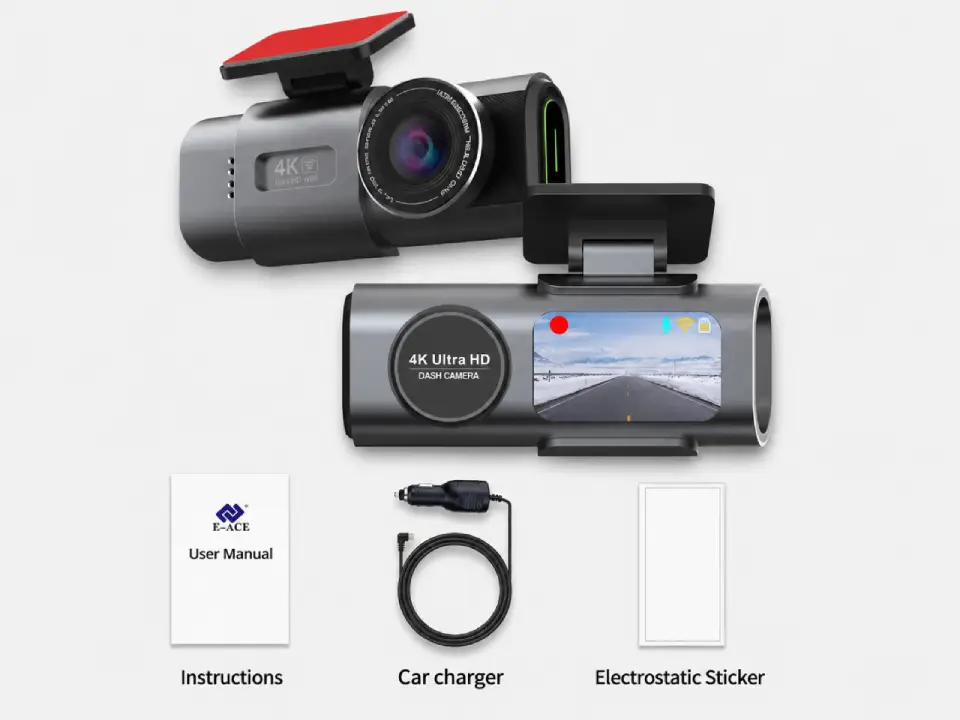
Standard
Package contents
- Front camera
- Car connection cable
- Magnetic sticker
Most popular
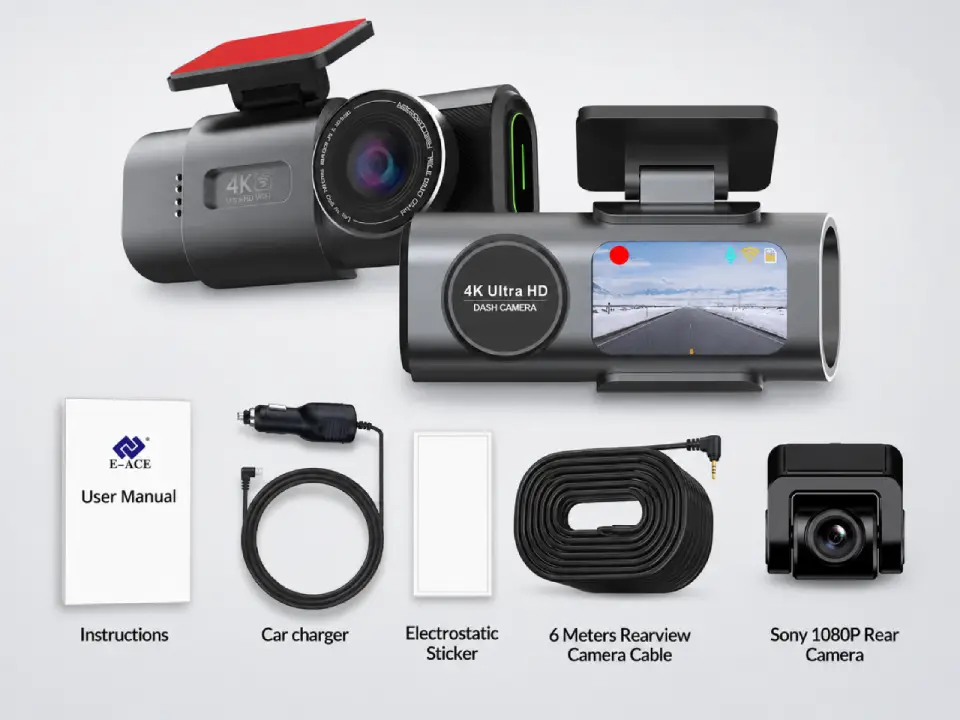
Dual Cameras
Package contents
- Everything in Standard
- Sony rear camera
- 6-meter connection cable
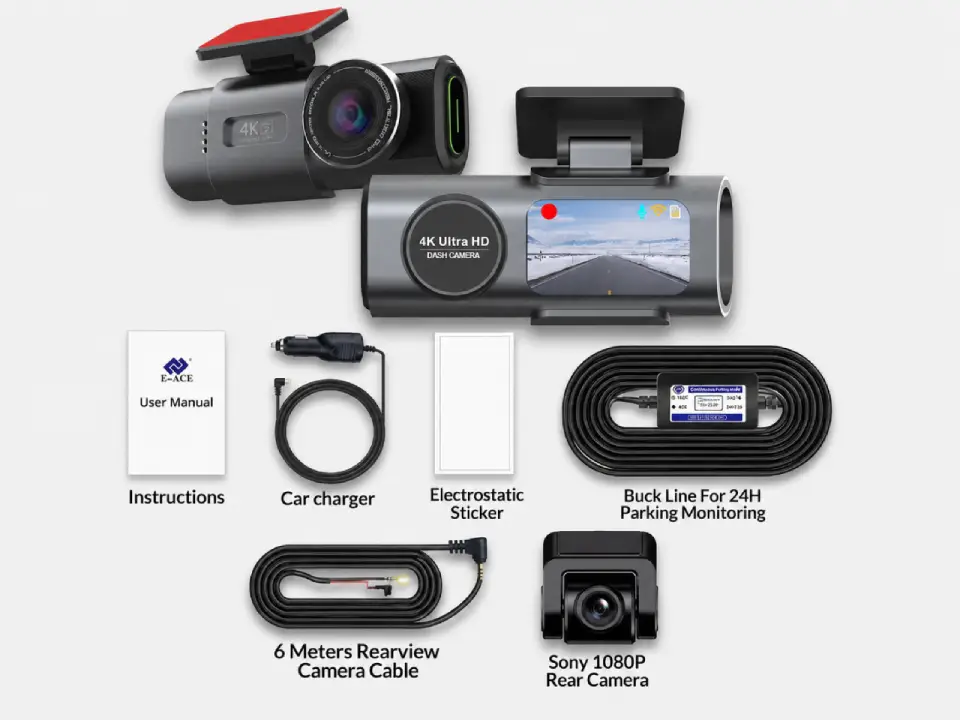
Full Protection
Package contents
- Everything in Dual Cameras
- 24h-compatible battery
- Live view from parked car
Free Shipping
5–10 days across Europe
Secure Payment
Apple Pay · PayPal · Stripe
2-Year Warranty
Full hardware coverage
30-Day Return
Change your mind, no fuss
Dash cam SD cards: common questions
What SD card does a dash cam need?
A high-endurance microSD card rated V30 and U3 at minimum, from a maker’s continuous-recording line rather than its photography line. For a 4K camera, treat V30 as the floor, not the target. Then buy the largest capacity your camera officially supports — for the Dashline 4K, that is 128 GB.
Why does my dash cam keep saying “card error”?
Usually because the card can no longer sustain the write speed the camera demands, or because its file system has been damaged by an interrupted write. Reseat the card, then format it in the camera. If the error comes back after a clean format, the card has worn out and should be replaced — repeated formatting only postpones the failure.
How often should I format my dash cam SD card?
About once a month under daily driving. Format from inside the camera’s own menu rather than from a computer, so the file system matches exactly what the camera expects. Formatting erases everything, including protected clips, so copy anything you want to keep first.
How long does a dash cam SD card last?
Under daily use, plan on replacing a good high-endurance card every one to two years. A standard consumer card in a 4K camera can start losing footage within months. Heat, 4K bitrates and 24-hour parking mode all shorten the interval, and no card gives a reliable warning before it goes.
Is a high-endurance card really worth the extra money?
For a dash cam, yes — it is the cheapest reliability you can buy. Endurance cards use flash rated for constant rewriting and generally publish a TBW endurance figure; standard cards usually do not. The price difference over a 128 GB card is roughly the cost of one takeaway, spread over two years of recording.
Can I use a 256 GB or 512 GB card in a Dashline camera?
The Dashline 4K specification supports microSD cards up to 128 GB, and that is the number we stand behind. A larger card may appear to mount and record. The failure mode, if there is one, shows up as missing or unreadable files — which is precisely the failure you bought a dash cam to avoid.
Do A1 and A2 ratings matter for a dash cam?
No. A1 and A2 describe random read and write performance for running mobile apps directly from the card. A dash cam writes one long sequential video stream. Those ratings tell you nothing useful, and a card can carry an A2 badge while being a poor choice for continuous recording.
My files won’t open on my computer. Is the card corrupt?
Not necessarily. Dashline records TS files using H.264, a container chosen because it survives a sudden power cut — the clip stays playable up to the moment the power went. Some default players will not open TS natively. Try VLC first. If VLC cannot read the files either, then suspect the card.

The last link in the chain
Good camera. Good card. Then you have proof.
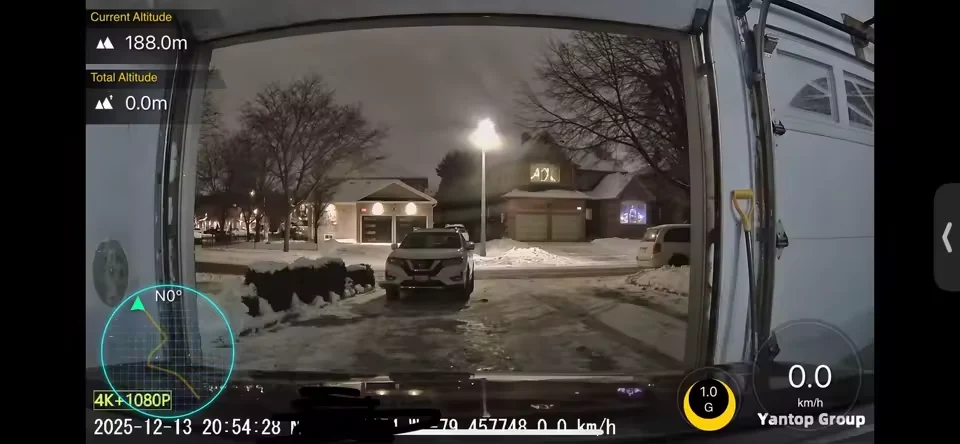
A 4K front camera, an optional 1080p rear, night-tuned optics and GPS in every clip — recording locally, to a card you own, with no subscription and no account in the middle. Pair it with a high-endurance card and format it once a month, and the system does what you bought it to do.
Sources
Card failure modes, endurance flash and lifespan: Botslab · Vantrue. Published TBW figures and endurance-card comparisons: Mighty Gadget. Manufacturer endurance lines and speed-class ratings: SanDisk specialty memory cards · SD Association speed classes. Endurance hours are manufacturer ratings, normally quoted at Full HD. Dashline camera specifications from the Dashline store.

Leave a Reply