
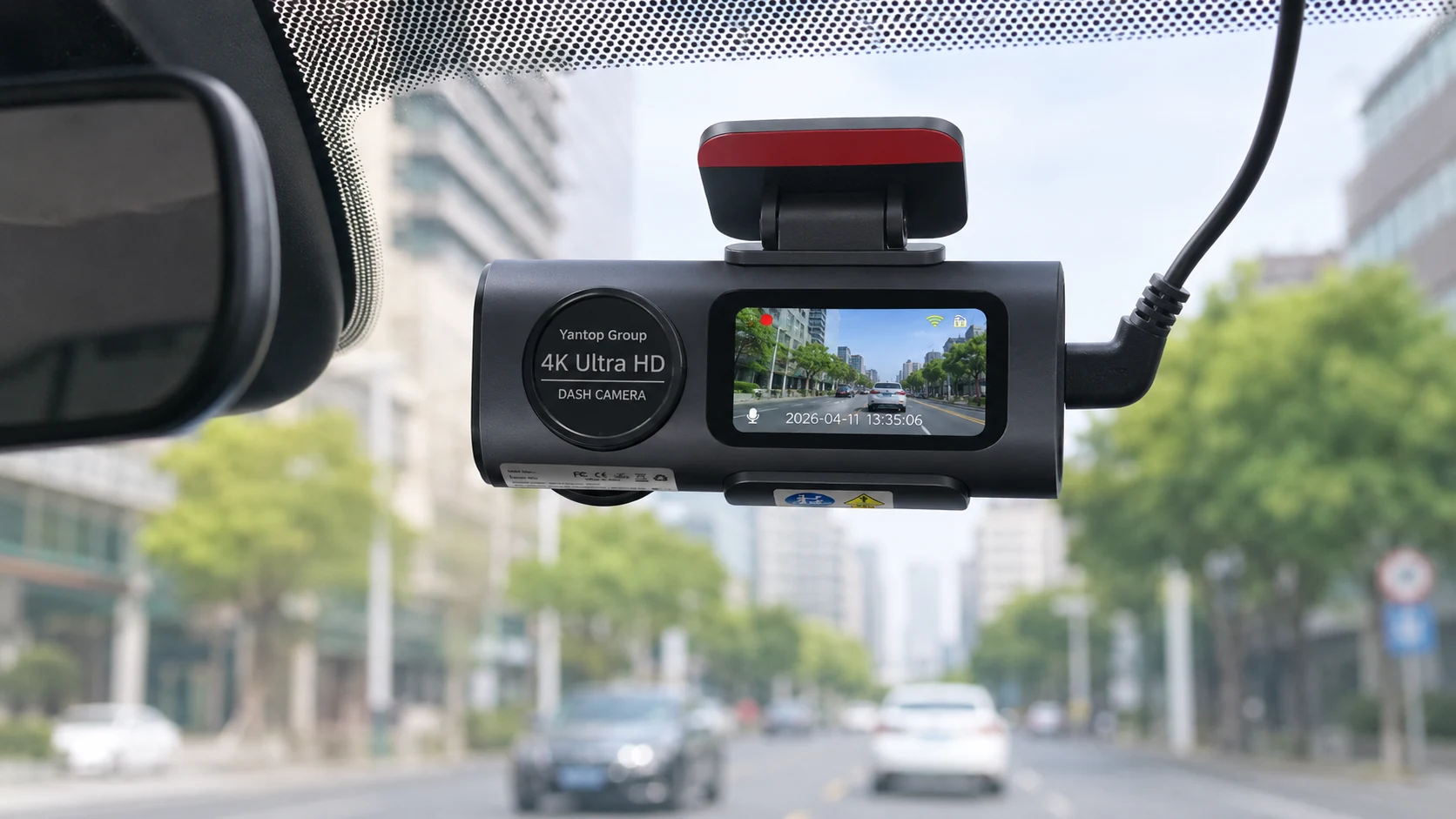
The clip is on a timer
How to save dash cam footage before it’s gone
Your camera is recording over the clip right now. Loop recording does not ask permission. Lock it, copy the original, and hand over a copy — in that order, and the file still means something a month from now.
Clip status
The problem
Nobody loses footage on purpose
A dash cam does not keep everything it sees. It writes short clips to a memory card until the card is full, then it starts again at the beginning and records over the oldest file. That is loop recording, and it is the reason a dash cam can run for years without anyone ever emptying it.
It is also why people lose the one clip that mattered. Somebody clips your wing mirror on a Tuesday. You are shaken, you exchange details, you drive home. On Friday your insurer asks whether you have video. By then the camera has been running for three more days, and the file has been quietly written over by footage of your commute.
The camera did its job. The clip existed. It simply was not rescued in time. Learn how loop recording decides what to delete — then treat the next few minutes as a deadline.
Roughly how long you have
before a small card starts recycling a busy day of driving
to press lock, which is all it takes to stop the countdown
is how many times you get to copy the original before it is overwritten
How many hours depends on card size, resolution and how much you drive. Work out yours with the recording-time calculator.
The 30-second answer
Four moves, in this order
Step 01
Lock it
Press the protect button, or let the impact sensor do it. The loop then skips that file.
Step 02
Copy it off
Phone over the camera’s Wi-Fi, or pull the card. Same day, not next week.
Step 03
Leave it alone
No trimming, no re-encoding, no posting it online. Back the original up twice.
Step 04
Send a copy
Insurers and police portals want the unedited file. You keep the original.
The rescue
Walk it through, one step at a time
Tap a step to open it. The order matters more than the speed — step three is where most footage quietly loses its value.
Lock the clip before you do anything else
Every dash cam has a way of saying keep this one. On most cameras it is a physical button marked with a padlock or the word protect; on impact, the G-sensor usually presses it for you. A locked file moves into a protected folder that loop recording is told to skip.
If you are still at the roadside and it is safe to do so, press it now. It costs one second and it is the only step that is genuinely time-critical. Everything after this you can do calmly at home.
Get the file off the camera
There are three sensible routes, and the right one depends on how many clips you need and how much of a hurry you are in. Connecting your phone to the camera’s own Wi-Fi and pulling the clip through the app is the fastest thing to do at the roadside. Taking the card out and reading it on a computer is the fastest way to move a lot of footage.
Whichever you choose, copy rather than move. Leave the file on the card until you have confirmed the copy plays properly somewhere else. A transfer that fails halfway is a real thing, and a half-written file is not evidence.
The table below the walkthrough compares all three routes honestly, including what each one costs you.
Protect the original, and mean it
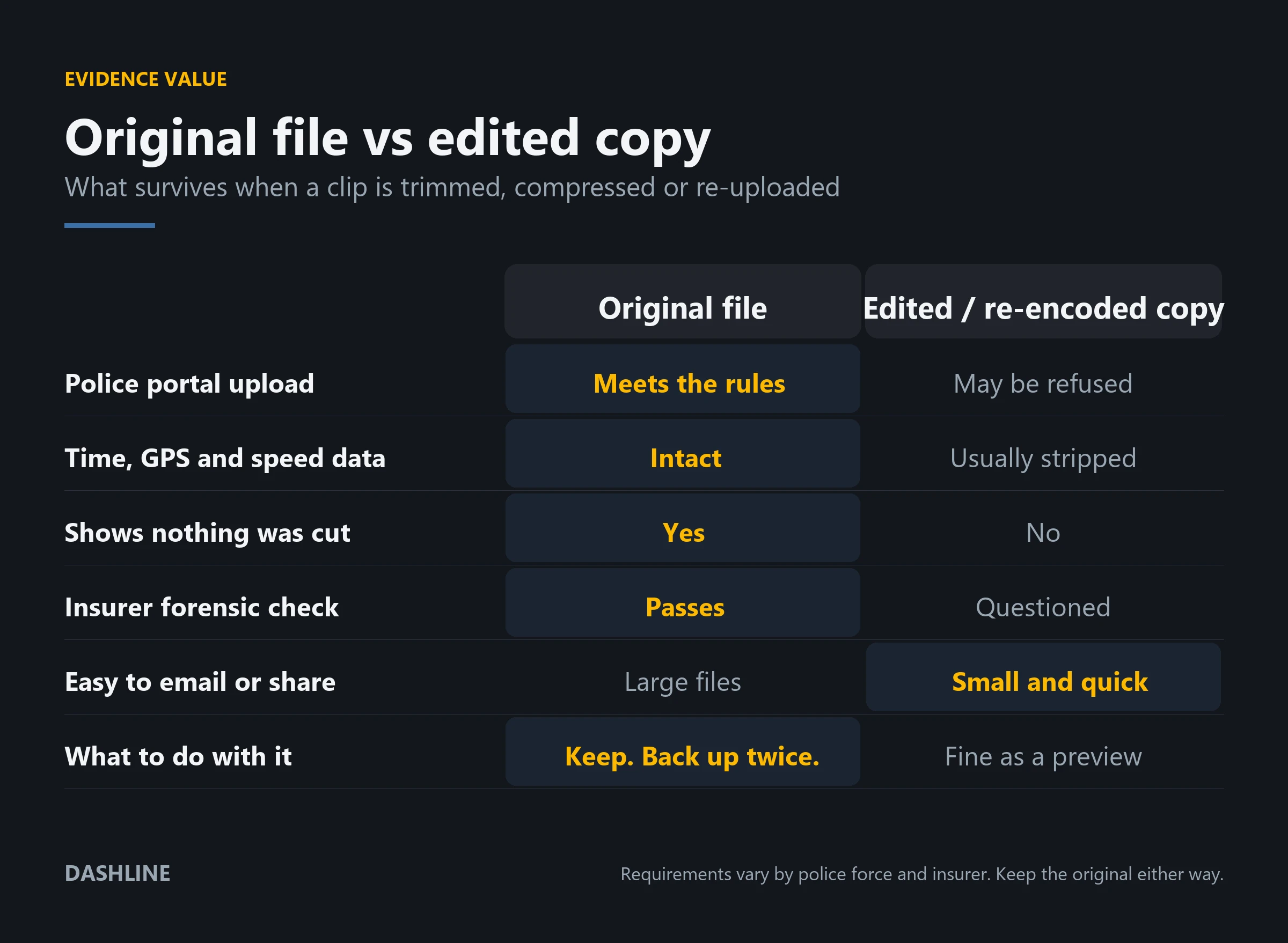
This is the step people get wrong, and it is the expensive one. The file that came off the camera is the only version whose integrity nobody can argue with. It carries its own timestamps and, on cameras with GPS, its own speed and location track.
So: do not trim it to the interesting ten seconds. Do not re-encode it to make it smaller. Do not screen-record it off your phone. Do not run it through a video editor to add an arrow. Each of those produces a new file that has lost the metadata and cannot prove nothing was cut out.
Back the original up in two places — a computer and a drive, or a computer and cloud storage. Then make a separate copy if you want a short version to show people.
Hand over a copy, keep the original
Insurers and police both want the same thing: the original file, unedited and uncompressed. What they usually do not need is your memory card. Send a copy, keep the original safe, and note the date you sent it and to whom.
In the UK, police forces accept public footage through the national dash cam portal, which asks for an unedited copy of the original file and a short witness statement. Insurers vary, but the instruction is consistent: send it in its native format, and do not convert it.
Keep your backups until the claim is fully closed, not until it is filed. Disputes reopen. See the wider checklist for what to do after a collision.
Three ways off the camera
None of these is wrong. They trade speed against convenience, and one of them makes your car stop recording while you use it.
| Route | Speed | Best for | The catch |
|---|---|---|---|
| Phone over the camera’s Wi-Fi | Slowest | One or two clips, straight away, at the roadside | Your phone joins the camera’s network, so you have no mobile data while you do it. A 4K clip takes minutes. |
| microSD card into a card reader | Fastest | A whole day of footage, or several clips at once | The camera is not recording while the card is out. Put it straight back, and reformat only after you have your backups. |
| Camera to computer by USB | In between | Bulk copying without taking the card out | Only works if your camera presents the card as a drive. Not all do, and some only expose the app. |
Why the untouched file is worth more
A trimmed, compressed clip is easier to email. That is the only column it wins.
Afterwards
Who asks for the file, and when
Almost nobody asks on the day. That is exactly the problem — the requests arrive after the loop has moved on.
The incident
The camera records it and carries on recording. Nothing is protected yet, and the countdown to overwriting it has already started.
You lock it
One press. The clip leaves the loop and moves to the protected folder. This is the whole game.
You copy it and back it up
Original off the card, two backups, no edits. Ten minutes of work while it still exists.
Your insurer opens a claim
The first question is usually whether anyone saw it. The second is whether you have video.
The other side disputes it
This is where an untouched file earns its keep. A trimmed clip invites a question you cannot answer.
The claim finally closes
Only now is it safe to delete your backups. Not when you filed. When it is settled.
Timings vary a great deal by country, insurer and the seriousness of the incident. Treat this as the shape of it, not a schedule.
Honest limits
What saving footage will not do for you
Locking is a pause, not a vault
The protected folder is a slice of the same card. Fill it with enough hard-braking false alarms and the camera will start overwriting your oldest protected clip. Locking gives you time to copy. It does not replace copying.
There is no cloud behind a dash cam
Dashline records to the card in the camera, and nowhere else. That keeps your footage private and your running costs at zero, but it also means that if the car and the camera are stolen together, the footage goes with them.
Wi-Fi transfer is slower than you want it to be
4K files are large. Pulling a few minutes of front-and-rear footage across a direct Wi-Fi link takes real minutes, not seconds, and your phone is off the mobile network while it happens. Plan for it rather than being surprised by it.
The footage records you too
The same clip that shows someone pulling out on you also shows your speed, your lane position and, if the microphone is on, whatever you said. Saving footage is the honest choice, and honest means it can cut both ways.
Where Dashline fits
A camera that makes step one automatic
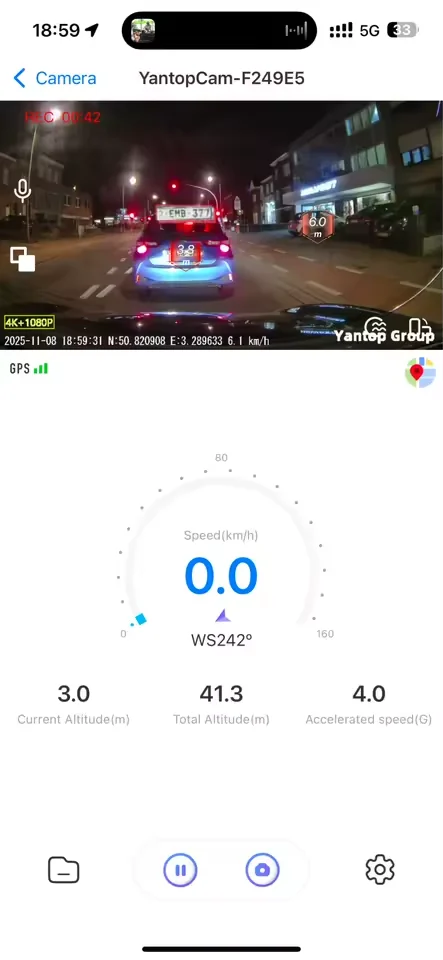
The Dashline 4K records in a loop to a microSD card — the specification sheet supports cards up to 128 GB. Its G-sensor locks a clip the moment it detects an impact, so the file that matters is usually protected before you have finished braking. You can also lock one by hand.
Built-in Wi-Fi and the Viidure app on iOS and Android handle step two: connect the phone to the camera, watch the clip back, save it to the handset. The connection is direct, so nothing passes through anyone’s server — which is also why there is no cloud to fall back on.
The rear camera matters more than people expect here. A rear-end shunt is the classic disputed claim, and the front camera never sees it.
Choose your setup
One camera. Three levels of protection.
Every package loops and locks the same way. What changes is how much of the car is covered, and whether it keeps watching while parked.
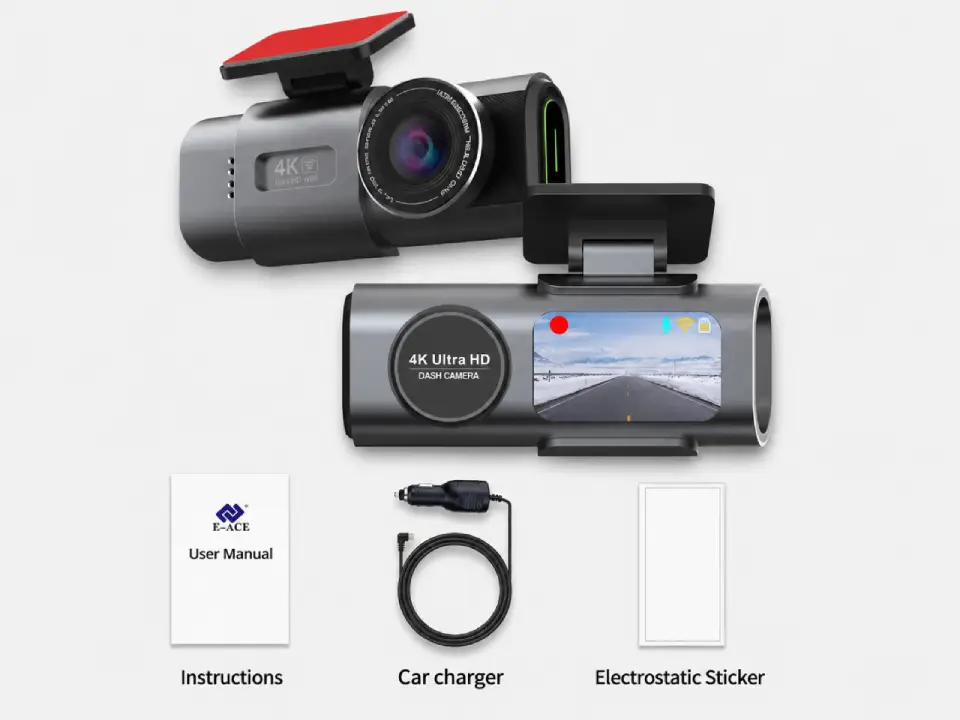
Standard
Package contents
- Front camera
- Car connection cable
- Magnetic sticker
Most popular
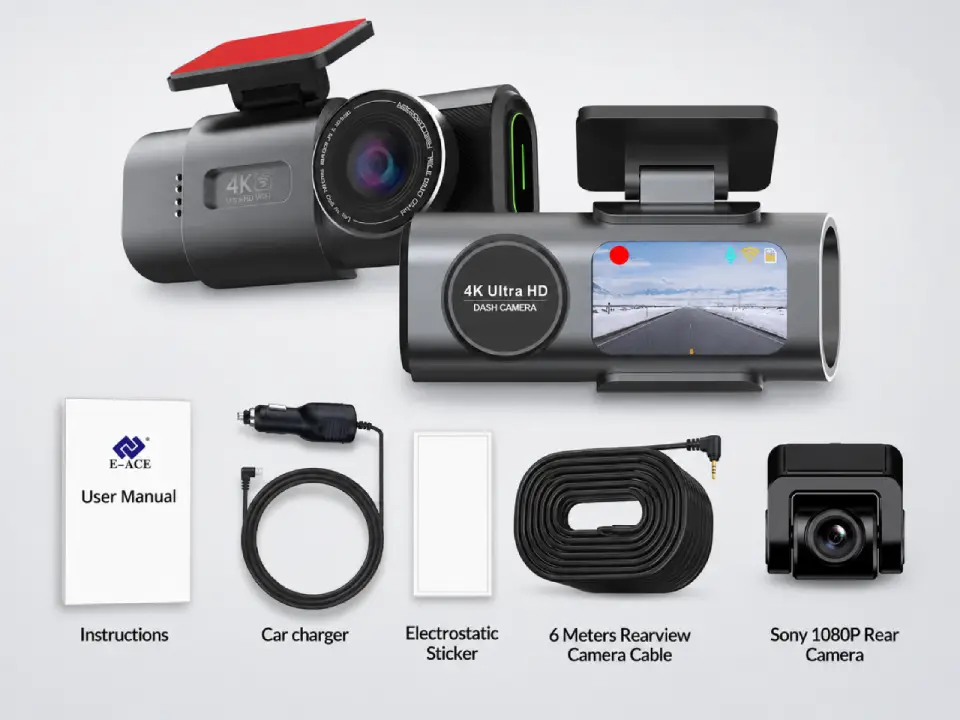
Dual Cameras
Package contents
- Everything in Standard
- Sony rear camera
- 6-meter connection cable
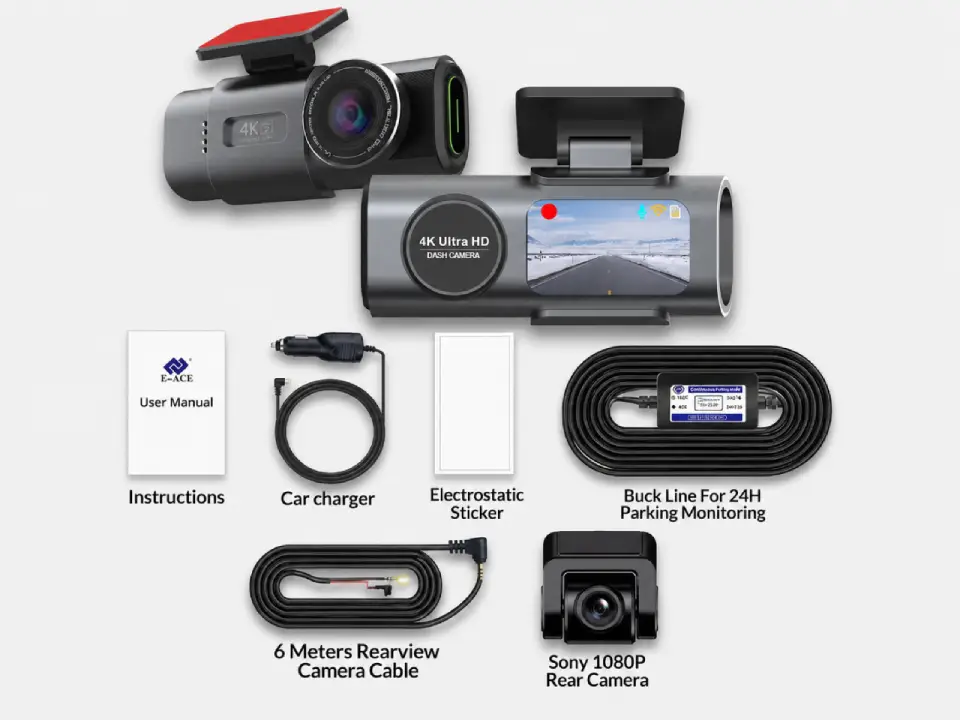
Full Protection
Package contents
- Everything in Dual Cameras
- 24h-compatible battery
- Live view from parked car
Free Shipping
5–10 days across Europe
Secure Payment
Encrypted checkout
2-Year Warranty
Covered against defects
30-Day Return
Send it back if it is not for you
Questions people ask once it has happened
How long before dash cam footage is overwritten?
It depends on card size, resolution and how much you drive. A 128 GB card recording 4K front and rear holds roughly a day of driving, and everything older than that is recycled. A smaller card recycles sooner. The only safe assumption is hours, not days.
Does locking a clip keep it forever?
No. Locking moves the file into a protected folder that loop recording skips, but that folder lives on the same card and has its own limit. When it fills, many cameras overwrite the oldest protected clip. Lock the file, then copy it off within a day or two.
Can I trim the clip before sending it to my insurer?
You can, but you should not send the trimmed version as your evidence. Editing or re-encoding creates a new file that has usually lost its timestamps and GPS track, and it cannot prove that nothing was cut out. Send the original and keep the short version for showing friends.
What format do police and insurers want?
The original file, unedited and uncompressed, in whatever format the camera wrote it. The UK national dash cam portal asks specifically for an unedited copy of the original. Insurers vary in the detail but consistently ask you not to convert the file.
Should I hand over my memory card?
Usually not. Provide a copy and keep the original safe, so that you still hold the file if it is needed again later. If a force does take the card, ask when it will be returned and make sure you have copied everything off it first.
Is it a bad idea to post the footage online?
For anything that might become a case, yes. Crown Prosecution Service advice cited by the national dash cam portal is that footage should not be in the public domain, because publicity can affect proceedings. If you have already posted it, take it down before you submit it.
How do I get footage off a Dashline camera?
Two ways. Connect your phone to the camera’s Wi-Fi, open the Viidure app and save the clip to your phone; or take the microSD card out and read it in a card reader. The card is faster for a lot of footage; the app is easier at the roadside.
How long should I keep the backup?
Until the claim is fully settled, not until it is filed. Disputes reopen months later, and the file on your camera will be long gone by then. Two copies in two places, kept until it is genuinely over, costs you nothing.
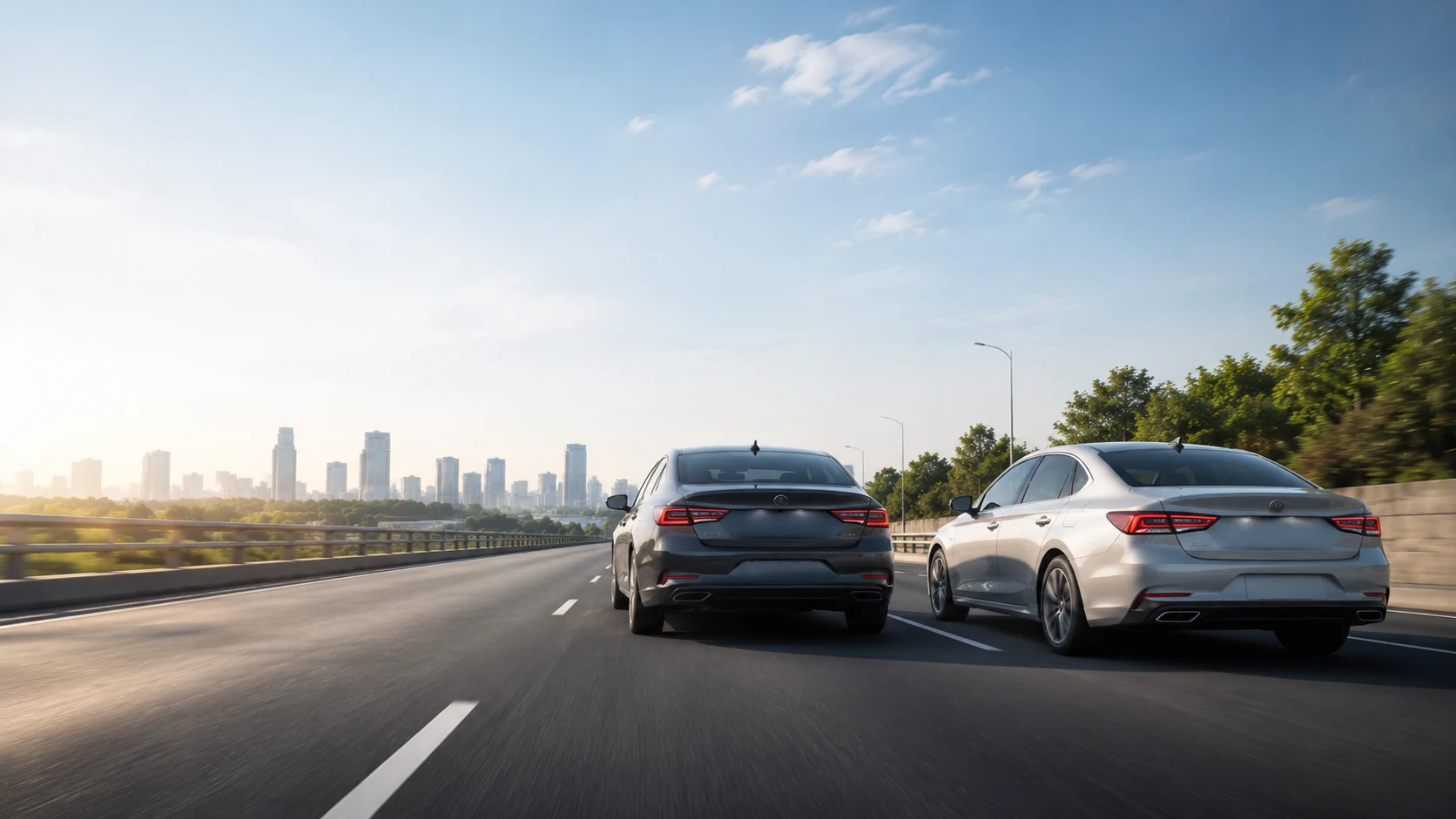
The clip you never needed is the point
A camera that locks the file on impact, an app that gets it onto your phone, and a card you know the size of. That is the whole rescue plan, and it works because you set it up before you needed it.
Sources
The G-sensor presses lock for you, the moment it matters.
See the camera
Leave a Reply